<?xml version="1.0" encoding="utf-8"?>
<feed xmlns="http://www.w3.org/2005/Atom">
  <generator uri="https://jekyllrb.com/" version="4.3.4">Jekyll</generator>
  <link href="/feed.xml" rel="self" type="application/atom+xml" />
  <link href="/" rel="alternate" type="text/html" />


  <link href="/feed-page-2.xml" rel="next" type="application/atom+xml" />
  

  <updated>2026-03-05T13:28:26-05:00</updated>
  <id>https://blog.newsblur.com/feed.xml</id>
  <title type="html">The NewsBlur Blog</title>
  
  <subtitle>NewsBlur is a personal news reader that brings people together to talk about the world.
A new sound of an old instrument.
</subtitle>


  <entry>
    <title type="html">Mute feeds for a set amount of time</title>
    <link href="https://blog.newsblur.com/2026/03/06/mute-feeds-for-a-set-amount-of-time/" rel="alternate" type="text/html" title="Mute feeds for a set amount of time" />
    <published>2026-03-06T00:00:00-05:00</published>
    <updated>2026-03-06T00:00:00-05:00</updated>
    <id>https://blog.newsblur.com/2026/03/06/mute-feeds-for-a-set-amount-of-time</id>
    <content type="html" xml:base="https://blog.newsblur.com/2026/03/06/mute-feeds-for-a-set-amount-of-time/">
      <![CDATA[<p>Sometimes a feed gets noisy for a while. An election cycle, a product launch, a conference week. You don’t want to unsubscribe because you’ll want it back eventually, but you also don’t want 200 unread stories piling up every day. Until now, muting was all or nothing: mute a feed and it stays muted until you remember to unmute it. Usually you forget.</p>

<p>Now you can mute a feed for a specific duration. Pick anywhere from 1 day to 1 year using the slider, or mute indefinitely the old-fashioned way. When the time’s up, NewsBlur automatically unmutes the feed the next time you load your feeds. No reminders to set, no manual cleanup.</p>

<h3 id="two-ways-to-mute">Two ways to mute</h3>

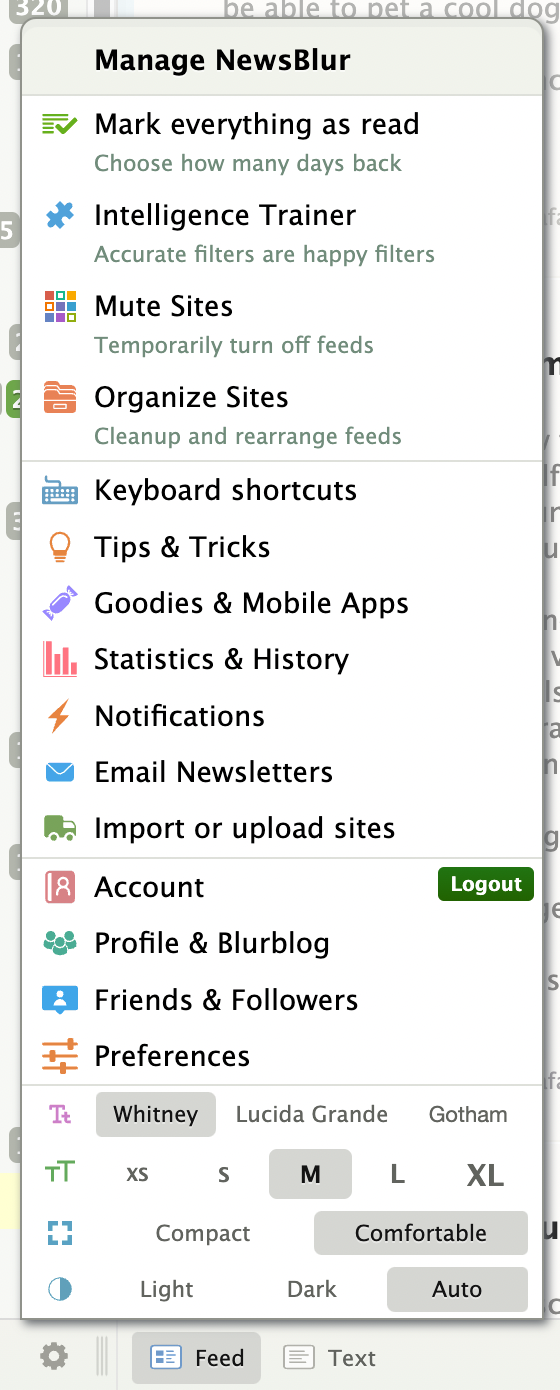
<p>Right-click any feed and choose “Mute this site.” Instead of muting immediately, a slider appears with two buttons: one to mute for a set duration, and one to mute indefinitely. Drag the slider to pick your duration, from 1 day all the way to 1 year with natural stops at 1 week, 2 weeks, 1 month, 3 months, and so on.</p>

<p><img src="/assets/mute-feed-set-time-menu.png" style="width: 50%;border: 1px solid rgba(0,0,0,0.1);margin: 24px auto;display: block;" /></p>

<p>The same controls are available in Site Settings. Open any feed’s settings and you’ll see a Mute section with a status message showing whether the feed is active, muted with a countdown, or muted indefinitely. The slider and buttons work the same way, and you can unmute at any time.</p>

<p><img src="/assets/mute-feed-set-time-settings.png" style="width: 80%;border: 1px solid rgba(0,0,0,0.1);margin: 24px auto;display: block;" /></p>

<p>If a feed is on a timed mute, the right-click menu shows how much time is left next to the “Un-mute this site” option, so you always know when it’s coming back.</p>

<h3 id="auto-unmute">Auto-unmute</h3>

<p>When a timed mute expires, NewsBlur unmutes the feed automatically the next time you open NewsBlur or refresh your feeds. There’s nothing to configure and no background job to wait for. Free accounts respect the 64-feed limit, so if you’re at the cap, the feed stays muted until you have room.</p>

<p>Timed muting is available now on the web for all NewsBlur users. If you have feedback or ideas, please share them on the <a href="https://forum.newsblur.com">NewsBlur forum</a>.</p>
]]>
    </content>


    <category term="web" />
    
    
    <summary type="html">
      <![CDATA[Sometimes a feed gets noisy for a while. An election cycle, a product launch, a conference week. You don’t want to unsubscribe because you’ll want it back eventually, but you also don’t want 200 unread stories piling up every day. Until now, muting was all or nothing: mute a feed...]]>
    </summary>
    
  </entry>
  
  <entry>
    <title type="html">NewsBlur iOS 26 and macOS Tahoe updates: Major redesign, discover related sites, new story toolbar, and much, much more</title>
    <link href="https://blog.newsblur.com/2026/03/05/newsblur-v14-for-ios-and-mac/" rel="alternate" type="text/html" title="NewsBlur iOS 26 and macOS Tahoe updates: Major redesign, discover related sites, new story toolbar, and much, much more" />
    <published>2026-03-05T00:00:00-05:00</published>
    <updated>2026-03-05T00:00:00-05:00</updated>
    <id>https://blog.newsblur.com/2026/03/05/newsblur-v14-for-ios-and-mac</id>
    <content type="html" xml:base="https://blog.newsblur.com/2026/03/05/newsblur-v14-for-ios-and-mac/">
      <![CDATA[<p>This is a hefty redesign and rethinking of the NewsBlur iOS and Mac app. Every screen has been rethought, from the login page to the story detail to the intelligence trainer. This release adds full support for iOS 26, iPadOS 26, and macOS Tahoe, along with several features that were previously web-only: Discover Related Sites, Ask AI, the Dashboard, and Premium Pro.</p>

<p>Here’s what’s new:</p>

<h3 id="ios-26-and-macos-tahoe">iOS 26 and macOS Tahoe</h3>

<p>NewsBlur is built for the latest Apple platforms. The toolbar is transparent and fades as you scroll. The column layout has been simplified to “feeds beside” or “feeds over” the story detail. On iPad, a new draggable divider lets you resize the feeds and stories columns, and the sidebar auto-collapses when space gets tight. On Mac, the sidebar auto-hides and trackpad swipe gestures work throughout the app.</p>

<p>The default theme is now Auto, so NewsBlur follows your system appearance out of the box. Dark mode correctly overrides the window style to stay consistent with whatever NewsBlur theme you’ve chosen.</p>

<p><img src="/assets/ios-14-ipad-sepia.png" style="width: 100%;border: 1px solid rgba(0,0,0,0.1);margin: 24px auto;display: block;" /></p>

<h3 id="a-warmer-sepia-theme">A warmer sepia theme</h3>

<p>The Sepia theme has been completely reworked with warmer tones that are easier on the eyes for long reading sessions. The theme selector itself has been rewritten across all menus, with improved contrast on the pill buttons so you can clearly see which theme is active.</p>

<p><img src="/assets/ios-14-sepia-theme.png" style="width: 50%;border: 1px solid rgba(0,0,0,0.1);margin: 24px auto;display: block;" /></p>

<h3 id="story-titles-pill-bar">Story titles pill bar</h3>

<p>The top of the story list now has a pill bar with quick access to Discover, Options, Search, and Mark Read. The search bar slides in and out instead of fading, and the mark-read button has a wider tap target with an optional confirmation step.</p>

<p><img src="/assets/ios-14-pill-bar.png" style="width: 50%;border: 1px solid rgba(0,0,0,0.1);margin: 24px auto;display: block;" /></p>

<h3 id="discover-related-sites">Discover related sites</h3>

<p>Discover Related Sites lets you find related feeds from any feed or folder. Tap the Discover button in the new story titles pill bar, browse what’s available, and try a feed before subscribing with a preview banner.</p>

<p><img src="/assets/ios-14-discover-sites.png" style="width: 50%;border: 1px solid rgba(0,0,0,0.1);margin: 24px auto;display: block;" /></p>

<h3 id="list-and-magazine-views">List and magazine views</h3>

<p>Two new story layout options join the existing Grid view. List shows compact rows for scanning headlines quickly. Magazine shows taller rows with larger thumbnails, giving you a richer preview of each story without opening it. Switch between them from the story titles pill bar.</p>

<div style="display: flex; gap: 12px; justify-content: center; margin: 24px auto;">
<img src="/assets/ios-14-ipad-magazine.png" style="width: 48%;border: 1px solid rgba(0,0,0,0.1);" />
<img src="/assets/ios-14-ipad-grid.png" style="width: 48%;border: 1px solid rgba(0,0,0,0.1);" />
</div>

<h3 id="dashboard">Dashboard</h3>

<p>The Dashboard sits at the top of your feed list and shows stories from your favorite feeds, updated every five minutes. Add, remove, and rearrange feeds to build a personal front page that keeps you current throughout the day. It’s the first thing you see when you open the app, and it updates in the background so fresh stories are always waiting.</p>

<p><img src="/assets/ios-14-ipad-dashboard.png" style="width: 100%;border: 1px solid rgba(0,0,0,0.1);margin: 24px auto;display: block;" /></p>

<h3 id="redesigned-login-preferences-and-upgrade">Redesigned login, preferences, and upgrade</h3>

<p>The login screen now features animated Metal shader waves with a frosted glass card. Preferences have moved from the old InAppSettingsKit to a new native SwiftUI PreferencesView. The Premium upgrade screen has been redesigned to include Ask AI integration and the new Premium Pro tier.</p>

<p>Share, Trainer, and Ask AI dialogs are presented as swipeable sheets on iPhone with grabber handles, replacing the old full-screen modals. The sync indicator has moved from a large HUD to a subtle top-right nav bar dot.</p>

<div style="display: flex; gap: 12px; justify-content: center; margin: 24px auto;">
<img src="/assets/ios-14-login.png" style="width: 30%;border: 1px solid rgba(0,0,0,0.1);" />
<img src="/assets/ios-14-upgrade.png" style="width: 30%;border: 1px solid rgba(0,0,0,0.1);" />
<img src="/assets/ios-14-prefs.png" style="width: 30%;border: 1px solid rgba(0,0,0,0.1);" />
</div>

<h3 id="ask-ai">Ask AI</h3>

<p>Ask AI brings the same AI-powered Q&amp;A from the web to your phone and Mac. Select a story, tap Ask AI, and ask questions about it. Summarize a long article in one sentence, get the backstory on a developing situation, or fact-check a claim. Pick from multiple AI models and keep the conversation going with follow-ups.</p>

<p><img src="/assets/ios-14-ask-ai.png" style="width: 50%;border: 1px solid rgba(0,0,0,0.1);margin: 24px auto;display: block;" /></p>

<h3 id="push-notifications-with-feed-favicons">Push notifications with feed favicons</h3>

<p>Push notifications now show your feed’s favicon alongside the notification using Communication Notifications. At a glance, you can tell which feed a story came from before you even open it.</p>

<p><img src="/assets/ios-14-push-notifications.png" style="width: 50%;border: 1px solid rgba(0,0,0,0.1);margin: 24px auto;display: block;" /></p>

<h3 id="everything-else">Everything else</h3>

<p>Beyond the headline features, this release includes a long list of improvements and fixes across iPhone, iPad, and Mac.</p>

<h4 id="improvements">Improvements</h4>

<ul>
  <li>Pinch-to-zoom images to full-sized Quick Look preview in any story.</li>
  <li>Mark Story Read options: mark read on scroll, on selection, after an interval, or manually.</li>
  <li>Premium Pro tier added to the iOS upgrade dialog with higher limits.</li>
  <li>Custom feed and folder icons now supported on iOS.</li>
  <li>Unmute support for individual feeds.</li>
  <li>Collapse-all and expand-all button on All Site Stories.</li>
  <li>Modernized menu bar on Mac and iPad with keyboard shortcuts.</li>
  <li>Icons added to context menus on Mac and iPad.</li>
  <li>Redesigned story action buttons with modern styling.</li>
  <li>Text, URL, and regex classifiers added to the iOS Intelligence Trainer.</li>
  <li>Compact story title cells with equalized vertical spacing in list view.</li>
  <li>Fetching/offline banner moved from bottom overlay to top of story titles.</li>
  <li>Feed list search bar replaced with a compact text field.</li>
  <li>Scroll-to-hide toolbar synced with swipe-back gestures.</li>
  <li>Sidebar toggle buttons for showing and hiding the feed list.</li>
  <li>Redesigned Add Site as a SwiftUI half-height sheet with autocomplete.</li>
  <li>Story traverse bar and feed bar fade gradually as you scroll.</li>
  <li>Mac Catalyst: dismiss modals via overlay tap or Escape key.</li>
  <li>Mac Catalyst: trackpad swipe gesture support.</li>
  <li>Improved theme selector pill contrast for medium and light themes.</li>
  <li>Show toolbar when tapping status bar to scroll to top.</li>
</ul>

<h4 id="fixes">Fixes</h4>

<ul>
  <li>Fixed WebSocket disconnects from EIO4 protocol and session lifecycle issues.</li>
  <li>Fixed story width rendering wider than viewport on first load on iPhone.</li>
  <li>Fixed memory issues with PINCache cost limits.</li>
  <li>Fixed offline queue priority inversion.</li>
  <li>Fixed saved stories showing incorrect read/unread status.</li>
  <li>Fixed YouTube Error 153 with HTTPS and inlined resources.</li>
  <li>Fixed trainer popover showing empty content on first open.</li>
  <li>Fixed crashes with custom feed icons in story detail.</li>
  <li>Fixed blank statistics modal by adding missing JS globals.</li>
  <li>Fixed white flash and navbar color mismatch when opening stories in dark themes.</li>
  <li>Fixed sepia theme yellow tint on Mac Catalyst.</li>
  <li>Fixed (null) username and missing avatar when sharing on Mac Catalyst.</li>
  <li>Fixed Catalyst pill bar AppKit chrome artifacts.</li>
  <li>Fixed Mac traverse bar layout, highlights, and previous button state.</li>
  <li>Fixed Discover popover placement on Mac and iPad.</li>
  <li>Fixed mark-read pill confirmation.</li>
  <li>Fixed status bar color and liquid glass gradient boundary.</li>
  <li>Fixed stale collapsed folder unread counts on iPad.</li>
  <li>Fixed stale story responses when switching folders quickly on iPad.</li>
  <li>Fixed Mac Catalyst split divider limited to grab handle area.</li>
</ul>

<p>NewsBlur for iOS 26, iPadOS 26, and macOS Tahoe is available now on the <a href="https://apps.apple.com/app/newsblur/id463981119">App Store</a> for iPhone, iPad, and Mac. If you have feedback or run into issues, I’d love to hear about it on the <a href="https://forum.newsblur.com">NewsBlur forum</a>.</p>
]]>
    </content>


    <category term="ios" />
    
    
    <summary type="html">
      <![CDATA[This is a hefty redesign and rethinking of the NewsBlur iOS and Mac app. Every screen has been rethought, from the login page to the story detail to the intelligence trainer. This release adds full support for iOS 26, iPadOS 26, and macOS Tahoe, along with several features that were...]]>
    </summary>
    
  </entry>
  
  <entry>
    <title type="html">Add + Discover Sites: YouTube, Reddit, podcasts, newsletters, and thousands of feeds to explore</title>
    <link href="https://blog.newsblur.com/2026/03/04/add-and-discover-sites/" rel="alternate" type="text/html" title="Add + Discover Sites: YouTube, Reddit, podcasts, newsletters, and thousands of feeds to explore" />
    <published>2026-03-04T00:00:00-05:00</published>
    <updated>2026-03-04T00:00:00-05:00</updated>
    <id>https://blog.newsblur.com/2026/03/04/add-and-discover-sites</id>
    <content type="html" xml:base="https://blog.newsblur.com/2026/03/04/add-and-discover-sites/">
      <![CDATA[<p>NewsBlur has always been great at reading feeds. But finding new ones? That was mostly on you. The old “Add Site” dialog was a search box and not much else. If you already had a feed URL, it worked fine. If you were looking for something new to read, you were on your own.</p>

<p>The new <strong>Add + Discover Sites</strong> page changes that. It’s a full-page discovery experience with eight tabs covering YouTube channels, Reddit communities, podcasts, newsletters, Google News topics, trending sites, popular feeds, and of course the classic search-and-subscribe workflow. There are over 50,000 curated feeds to browse, all organized into dozens of categories and subcategories.</p>

<p><img src="/assets/add-site-full-page.png" style="width: 100%;border: 1px solid rgba(0,0,0,0.1);margin: 24px auto;display: block;" /></p>

<h3 id="eight-ways-to-find-feeds">Eight ways to find feeds</h3>

<p>The tab bar across the top gives you eight different lenses into the world of RSS:</p>

<!-- SCREENSHOT: Tab bar showing all eight tabs with icons -->
<p><img src="/assets/add-site-tabs.png" style="width: 90%;border: 1px solid rgba(0,0,0,0.1);margin: 24px auto;display: block;" /></p>

<ul>
  <li>
    <p><strong>Search</strong> — The classic search bar, now with semantic search and autocomplete. Type a topic or URL and get instant suggestions. Below the search results you’ll find trending feeds ranked by a hybrid algorithm that combines subscription velocity, read engagement, and subscriber counts.</p>
  </li>
  <li>
    <p><strong>Web Feed</strong> — Create RSS feeds from any website. This one gets its own blog post.</p>
  </li>
  <li>
    <p><strong>Popular Sites</strong> — Thousands of curated RSS feeds organized into categories like Technology, Science, News, and Business. Each category has subcategories for drilling down further.</p>
  </li>
  <li>
    <p><strong>YouTube</strong> — Over 2,000 verified YouTube channels converted to RSS feeds. Browse by category or search for specific channels. Subscribe and read YouTube in your feed reader the way it should be.</p>
  </li>
  <li>
    <p><strong>Reddit</strong> — Nearly 6,000 real subreddits across 47 categories. From r/programming to r/sourdough, you can subscribe to any subreddit as an RSS feed.</p>
  </li>
  <li>
    <p><strong>Newsletters</strong> — Newsletters from Substack, Medium, Ghost, Beehiiv, and other platforms. Platform pills let you filter by newsletter provider if you have a preference.</p>
  </li>
  <li>
    <p><strong>Podcasts</strong> — Popular podcasts organized by genre. Search for shows or browse the curated collection.</p>
  </li>
  <li>
    <p><strong>Google News</strong> — Eight preset topics (World, Business, Technology, Sports, and more) that create feeds from Google News. One click to subscribe.</p>
  </li>
</ul>

<h3 id="categories-and-subcategories">Categories and subcategories</h3>

<p>Most tabs are organized with a two-level taxonomy. Click a category pill at the top to filter, then drill into subcategories for more specific browsing. YouTube’s Technology category, for example, breaks down into Programming, AI &amp; Machine Learning, Gadgets, and more.</p>

<!-- SCREENSHOT: Category pills and subcategory rows showing two-level taxonomy -->
<p><img src="/assets/add-site-categories.png" style="width: 90%;border: 1px solid rgba(0,0,0,0.1);margin: 24px auto;display: block;" /></p>

<p>The categories are consistent across tabs where it makes sense, so you can explore Technology feeds across YouTube, Reddit, Popular Sites, and Podcasts without having to rethink the navigation each time.</p>

<h3 id="grid-view-and-list-view">Grid view and list view</h3>

<p>Every tab supports two viewing modes. Grid view shows feed cards with thumbnails, descriptions, subscriber counts, and freshness indicators. List view compresses things into a denser layout when you want to scan quickly.</p>

<!-- SCREENSHOT: Side by side of grid view and list view showing the same feeds -->
<p><img src="/assets/add-site-grid-list.png" style="width: 100%;border: 1px solid rgba(0,0,0,0.1);margin: 24px auto;display: block;" /></p>

<p>A style popover in the top right lets you toggle between views. Your preference is saved per tab.</p>

<h3 id="try-before-you-subscribe">Try before you subscribe</h3>

<p>Every feed card has a <strong>Try</strong> button that instantly fetches the feed and shows you the actual stories. No commitment, no subscribing. Just a quick look at what you’d get. If you like what you see, the subscribe button is right there with a folder picker.</p>

<!-- SCREENSHOT: Try feed preview showing story cards from a YouTube channel or popular site -->
<p><img src="/assets/add-site-try-feed.png" style="width: 90%;border: 1px solid rgba(0,0,0,0.1);margin: 24px auto;display: block;" /></p>

<p>A breadcrumb link at the top takes you back to where you were browsing when you’re done previewing.</p>

<h3 id="the-new-add-site-popover">The new Add Site popover</h3>

<p>If you don’t need the full discovery page, the popover that appears when you click “+” in the sidebar has been redesigned too. It still has the quick URL input for when you have a feed address handy, but now it also shows freshness indicators and has buttons to jump into any of the discovery tabs.</p>

<!-- SCREENSHOT: Redesigned Add Site popover showing quick add input and discovery buttons -->
<p><img src="/assets/add-site-popover.png" style="width: 60%;border: 1px solid rgba(0,0,0,0.1);margin: 24px auto;display: block;" /></p>

<h3 id="semantic-search">Semantic search</h3>

<p>The search tab uses Elasticsearch to find feeds by name with fuzzy matching. Type “cooking” and you’ll get cooking blogs, YouTube cooking channels, cooking subreddits, and cooking podcasts. It searches across all feed types, not just traditional RSS. If Elasticsearch doesn’t find anything, the search falls back to a database query so you’ll always get results.</p>

<h3 id="where-all-these-feeds-came-from">Where all these feeds came from</h3>

<p>Building the discovery page meant curating a lot of feeds. I wrote management commands to discover and verify channels, subreddits, podcasts, and newsletters from real sources. The collection includes over 2,000 YouTube channels, 6,600 subreddits, 7,300 newsletters, 32,000 podcasts, and 14,000 RSS feeds. Over 63,000 feeds in total, all real, verified, and categorized.</p>

<p>The Add + Discover Sites page is available now on the web for all users. If you have feedback or ideas for new categories, platforms, or features, please share them on the <a href="https://forum.newsblur.com">NewsBlur forum</a>.</p>
]]>
    </content>


    <category term="web" />
    
    
    <summary type="html">
      <![CDATA[NewsBlur has always been great at reading feeds. But finding new ones? That was mostly on you. The old “Add Site” dialog was a search box and not much else. If you already had a feed URL, it worked fine. If you were looking for something new to read, you...]]>
    </summary>
    
  </entry>
  
  <entry>
    <title type="html">A mini media player for podcasts, audio, and video</title>
    <link href="https://blog.newsblur.com/2026/03/02/mini-media-player/" rel="alternate" type="text/html" title="A mini media player for podcasts, audio, and video" />
    <published>2026-03-02T00:00:00-05:00</published>
    <updated>2026-03-02T00:00:00-05:00</updated>
    <id>https://blog.newsblur.com/2026/03/02/mini-media-player</id>
    <content type="html" xml:base="https://blog.newsblur.com/2026/03/02/mini-media-player/">
      <![CDATA[<p>A lot of the sites I subscribe to have audio and video embedded directly in the stories. Podcasts, YouTube channels, news clips. But playing them in NewsBlur has always been a bit awkward: you hit play on the native browser control, then if you scroll to the next story or switch feeds, the audio just stops. I wanted something that keeps playing while you keep reading.</p>

<p>So I built a persistent mini media player. It sits at the bottom of your screen and handles audio, video, and YouTube from any story. Play something and it stays with you as you navigate feeds, open folders, or scroll through stories.</p>

<p><img src="/assets/mini-player-feed-list.png" style="width: 90%;border: 1px solid rgba(0,0,0,0.1);margin: 24px auto;display: block;" /></p>

<h3 id="how-it-works">How it works</h3>

<p>When you open a story that contains audio, video, or a YouTube embed, you’ll see overlay buttons right on the media element: <strong>Play in Mini Media Player</strong>, <strong>Play Next</strong>, and <strong>Play Last</strong>. Click any of them and the mini player appears at the bottom of the screen. If you click the native play button on an audio or video element, it hands off to the mini player automatically.</p>

<p><img src="/assets/mini-player-podcast.png" style="width: 90%;border: 1px solid rgba(0,0,0,0.1);margin: 24px auto;display: block;" /></p>

<p>The player has a three-row layout. The top row shows the feed favicon, feed name, and story title (click the title to scroll back to the story). The middle row is a full-width scrubber so you can seek precisely. The bottom row has playback controls: skip back, play/pause, skip forward, a time display, playback speed, and a volume slider that appears on hover.</p>

<h3 id="build-a-queue">Build a queue</h3>

<p>The real power is the queue. As you’re reading through stories, you can add media to your queue with “Play Next” (inserts at the top) or “Play Last” (appends to the end). The queue shows up right below the player with a count of upcoming items. Drag items to reorder them, or remove items you’ve changed your mind about. When the current item finishes, the next one starts automatically.</p>

<p><img src="/assets/mini-player-youtube.png" style="width: 90%;border: 1px solid rgba(0,0,0,0.1);margin: 24px auto;display: block;" /></p>

<h3 id="playback-history">Playback history</h3>

<p>Switch from the “Up Next” tab to the “History” tab to see your last 10 played items. Each entry shows where you left off, so you can pick up a podcast episode right where you stopped. Click any history item to resume it.</p>

<h3 id="settings">Settings</h3>

<p>Click the gear icon in the player to customize your experience:</p>

<p><img src="/assets/mini-player-settings.png" style="width: 90%;border: 1px solid rgba(0,0,0,0.1);margin: 24px auto;display: block;" /></p>

<ul>
  <li><strong>Skip back/forward</strong>: Choose how far to jump (5s, 10s, 15s, 30s, or 60s in each direction)</li>
  <li><strong>Auto-play</strong>: Automatically play the next queued item when the current one finishes (on by default)</li>
  <li><strong>Resume position</strong>: Remember where you left off in each episode (on by default)</li>
  <li><strong>Show on load</strong>: Restore the player when you reload NewsBlur, so you can pick up right where you left off (on by default)</li>
</ul>

<h3 id="synced-across-reloads">Synced across reloads</h3>

<p>Your playback state, queue, history, and settings are all saved to your NewsBlur account. Reload the page and the player comes back with your queue intact and the current episode paused where you left it. Position data syncs in real time via WebSocket so there’s no lag.</p>

<h3 id="playback-speed">Playback speed</h3>

<p>Click the speed indicator (next to the time display) to cycle through speeds: 0.5x, 0.75x, 1x, 1.25x, 1.5x, 2x, and 3x. Your speed preference is saved and applied to the next item in your queue automatically.</p>

<p>The mini media player is available now on the web for all NewsBlur users. If you have feedback or ideas for how to make it better, please share them on the <a href="https://forum.newsblur.com">NewsBlur forum</a>.</p>
]]>
    </content>


    <category term="web" />
    
    
    <summary type="html">
      <![CDATA[A lot of the sites I subscribe to have audio and video embedded directly in the stories. Podcasts, YouTube channels, news clips. But playing them in NewsBlur has always been a bit awkward: you hit play on the native browser control, then if you scroll to the next story or...]]>
    </summary>
    
  </entry>
  
  <entry>
    <title type="html">Global and folder-scoped intelligence training: Train once, apply everywhere</title>
    <link href="https://blog.newsblur.com/2026/02/02/global-and-folder-scoped-intelligence-training/" rel="alternate" type="text/html" title="Global and folder-scoped intelligence training: Train once, apply everywhere" />
    <published>2026-02-02T00:00:00-05:00</published>
    <updated>2026-02-02T00:00:00-05:00</updated>
    <id>https://blog.newsblur.com/2026/02/02/global-and-folder-scoped-intelligence-training</id>
    <content type="html" xml:base="https://blog.newsblur.com/2026/02/02/global-and-folder-scoped-intelligence-training/">
      <![CDATA[<p>Until now, the Intelligence Trainer was strictly per-feed. Train a title, author, or tag on one site and it only affected that site. If you wanted to hide a topic everywhere, you had to repeat that training on each feed. With a few feeds, that’s fine. With a hundred, it’s tedious. With five hundred, it’s a non-starter.</p>

<p>If you’re a <a href="https://newsblur.com/?next=premium">Premium Archive</a> subscriber, you can now set any classifier to apply globally across all your feeds, or scoped to a specific folder. Train “sponsored” as a dislike once, and it hides sponsored stories everywhere. Train “kubernetes” as a like in your Tech folder, and it highlights kubernetes stories across every feed in that folder without touching the rest of your subscriptions.</p>

<h3 id="three-scope-levels">Three scope levels</h3>

<p>Every classifier pill in the Intelligence Trainer now shows three small scope icons on the left: a feed icon, a folder icon, and a globe icon.</p>

<!-- SCREENSHOT: Intelligence trainer showing a classifier pill with the three scope toggle icons (feed, folder, globe) -->
<p><img src="/assets/scope-toggle-icons.png" style="width: 90%;border: 1px solid rgba(0,0,0,0.1);margin: 24px auto;display: block;" /></p>

<ul>
  <li><strong>Per Site</strong> (feed icon) — The default. The classifier only applies to the feed you’re training. This is how classifiers have always worked.</li>
  <li><strong>Per Folder</strong> (folder icon) — The classifier applies to every feed in the same folder. If you later move the feed to a different folder, the classifier stays tied to the original folder.</li>
  <li><strong>Global</strong> (globe icon) — The classifier applies to every feed you subscribe to.</li>
</ul>

<p>Click any scope icon to switch. The active scope is highlighted, and a tooltip explains each level. Your choice is saved with the classifier.</p>

<h3 id="real-world-examples">Real-world examples</h3>

<p><strong>Hide a topic everywhere.</strong> Subscribe to lots of news feeds but never want to read about a recurring topic? Open the trainer on any feed, add the topic as a text or title classifier, thumbs-down it, and click the globe icon. Done — it’s hidden across all your feeds.</p>

<p><strong>Focus on a topic within a folder.</strong> Have a “Tech” folder with 40 feeds? Train “machine learning” as a like with the folder scope, and every feed in that folder will surface machine learning stories in your Focus view. Your cooking and sports feeds stay untouched.</p>

<p><strong>Dislike a prolific author.</strong> Some authors are syndicated across multiple sites. Instead of training the same author name on each feed, set it to global and it applies everywhere at once.</p>

<h3 id="manage-training-scope-filter">Manage Training scope filter</h3>

<p>The Manage Training tab now includes a scope filter alongside the existing sentiment, type, and search filters. You can quickly see all your global classifiers, all your folder-scoped classifiers, or narrow down to just per-site training.</p>

<!-- SCREENSHOT: Manage Training tab showing the scope filter segmented control (All, Per Site, Per Folder, Global) -->
<p><img src="/assets/manage-training-scope-filter.png" style="width: 90%;border: 1px solid rgba(0,0,0,0.1);margin: 24px auto;display: block;" /></p>

<p>Each classifier pill in the Manage Training list also shows a small colored scope badge, so you can tell at a glance whether a classifier is site-level, folder-level, or global.</p>

<h3 id="how-scoping-works-under-the-hood">How scoping works under the hood</h3>

<p>When NewsBlur scores a story, it checks all classifiers that apply to that story’s feed — including any folder-scoped classifiers for the feed’s folder and any global classifiers. The same “green always wins” rule applies: if a story matches both a liked global classifier and a disliked per-site classifier, the story is marked as Focus.</p>

<p>Scope controls work with all classifier types: titles, authors, tags, text, and URLs. They also work with regex classifiers.</p>

<h3 id="subscription-tiers">Subscription tiers</h3>

<table>
  <thead>
    <tr>
      <th>Feature</th>
      <th>Tier Required</th>
    </tr>
  </thead>
  <tbody>
    <tr>
      <td>Per-site classifiers (default)</td>
      <td>Free</td>
    </tr>
    <tr>
      <td>Global and folder-scoped classifiers</td>
      <td>Premium Archive</td>
    </tr>
    <tr>
      <td>Manage Training scope filter</td>
      <td>Premium Archive</td>
    </tr>
  </tbody>
</table>

<p>Global and folder-scoped classifiers are available now on the web. If you have feedback or ideas for improvements, please share them on the <a href="https://forum.newsblur.com">NewsBlur forum</a>.</p>
]]>
    </content>


    <category term="web" />
    
    
    <summary type="html">
      <![CDATA[Until now, the Intelligence Trainer was strictly per-feed. Train a title, author, or tag on one site and it only affected that site. If you wanted to hide a topic everywhere, you had to repeat that training on each feed. With a few feeds, that’s fine. With a hundred, it’s...]]>
    </summary>
    
  </entry>
  
  <entry>
    <title type="html">Premium Archive: Per-feed and per-folder auto-mark-as-read settings</title>
    <link href="https://blog.newsblur.com/2026/01/23/per-feed-auto-mark-read/" rel="alternate" type="text/html" title="Premium Archive: Per-feed and per-folder auto-mark-as-read settings" />
    <published>2026-01-23T00:00:00-05:00</published>
    <updated>2026-01-23T00:00:00-05:00</updated>
    <id>https://blog.newsblur.com/2026/01/23/per-feed-auto-mark-read</id>
    <content type="html" xml:base="https://blog.newsblur.com/2026/01/23/per-feed-auto-mark-read/">
      <![CDATA[<p>Some feeds I want to read every single story. Others I’m happy to skim once a week. And a few high-volume feeds I only check occasionally, so stories older than a day or two aren’t worth catching up on. <a href="https://newsblur.com/?next=premium">Premium Archive</a> subscribers get the site-wide “days of unread” setting, but it was too blunt, applying the same rule to everything. Now you can set how long stories stay unread on a per-feed and per-folder basis.</p>

<h3 id="how-it-works">How it works</h3>

<p>Open the feed options popover (click the gear icon in the feed header) and you’ll see a new “Auto Mark as Read” section. Choose how many days stories should remain unread before NewsBlur automatically marks them as read:</p>

<!-- SCREENSHOT: Feed options popover showing Auto Mark as Read section with slider -->
<p><img src="/assets/auto-mark-read-popover.png" style="width: 100%;border: 1px solid rgba(0,0,0,0.1);margin: 24px auto;display: block;" /></p>

<p>The slider goes from 1 day to 365 days, with a “never” zone at the far right for feeds where you truly want to read every story regardless of age. Choose “Default” to inherit from the parent folder or site-wide setting, “Days” to set a specific duration, or “Never” to disable auto-marking entirely.</p>

<h3 id="folder-inheritance">Folder inheritance</h3>

<p>Settings cascade down from folders to feeds. Set a folder to 7 days, and all feeds inside inherit that setting unless they have their own override. This is perfect for organizing feeds by how aggressively you want to age them out:</p>

<ul>
  <li><strong>Must Read</strong> folder: Set to “Never” so nothing ages out</li>
  <li><strong>News</strong> folder: Set to 2 days since news gets stale fast</li>
  <li><strong>Blogs</strong> folder: Set to 30 days for long-form content worth revisiting</li>
  <li>Individual feeds can still override their folder’s setting</li>
</ul>

<!-- SCREENSHOT: Folder settings dialog showing Auto Mark as Read with inheritance text -->
<p><img src="/assets/auto-mark-read-folder-settings.png" style="width: 80%;border: 1px solid rgba(0,0,0,0.1);margin: 24px auto;display: block;" /></p>

<p>The status text below the slider shows where the current setting comes from: the site-wide preference, a parent folder, or an explicit setting on this feed.</p>

<h3 id="site-settings-dialog">Site settings dialog</h3>

<p>You can also configure auto-mark-read from the site settings dialog (right-click a feed and choose “Site settings”). The same controls are available there, redesigned to match the popover style.</p>

<!-- SCREENSHOT: Site settings dialog showing Auto Mark as Read section -->
<p><img src="/assets/auto-mark-read-site-settings.png" style="width: 80%;border: 1px solid rgba(0,0,0,0.1);margin: 24px auto;display: block;" /></p>

<h3 id="availability">Availability</h3>

<p>Per-feed and per-folder auto-mark-as-read settings are a <a href="https://newsblur.com/?next=premium">Premium Archive</a> feature, available now on the web. They work alongside the existing site-wide “days of unread” preference in Manage → Preferences → General → Days of unreads, which is also a Premium Archive feature.</p>

<p>If you have feedback or ideas for improvements, please share them on the <a href="https://forum.newsblur.com">NewsBlur forum</a>.</p>
]]>
    </content>


    <category term="web" />
    
    
    <summary type="html">
      <![CDATA[Some feeds I want to read every single story. Others I’m happy to skim once a week. And a few high-volume feeds I only check occasionally, so stories older than a day or two aren’t worth catching up on. Premium Archive subscribers get the site-wide “days of unread” setting, but...]]>
    </summary>
    
  </entry>
  
  <entry>
    <title type="html">Intelligence Trainer Overhaul: URL classifiers, regex mode, and manage all training in one place</title>
    <link href="https://blog.newsblur.com/2026/01/22/intelligence-trainer-overhaul/" rel="alternate" type="text/html" title="Intelligence Trainer Overhaul: URL classifiers, regex mode, and manage all training in one place" />
    <published>2026-01-22T00:00:00-05:00</published>
    <updated>2026-01-22T00:00:00-05:00</updated>
    <id>https://blog.newsblur.com/2026/01/22/intelligence-trainer-overhaul</id>
    <content type="html" xml:base="https://blog.newsblur.com/2026/01/22/intelligence-trainer-overhaul/">
      <![CDATA[<p>The Intelligence Trainer is one of NewsBlur’s most powerful features. It lets you train on authors, tags, titles, and text to automatically sort stories into Focus, Unread, or Hidden. But until now, there were limits—you couldn’t train on URLs, regex support was something power users had been requesting for years, and managing hundreds of classifiers meant clicking through feeds one by one.</p>

<p>Today I’m launching three major improvements: URL classifiers, regex mode for power users, and a completely redesigned Manage Training tab.</p>

<h3 id="train-on-urls">Train on URLs</h3>

<p>You can now train on story permalink URLs, not just titles and content. This opens up new filtering possibilities based on URL patterns.</p>

<p><img src="/assets/url-classifier-section.png" style="width: 90%;border: 1px solid rgba(0,0,0,0.1);margin: 24px auto;display: block;" /></p>

<p>The URL classifier matches against the full story permalink. Some use cases:</p>

<ul>
  <li><strong>Filter by URL path</strong>: Like or dislike stories that contain <code class="language-plaintext highlighter-rouge">/sponsored/</code> or <code class="language-plaintext highlighter-rouge">/opinion/</code> in their URL</li>
  <li><strong>Domain sections</strong>: Match specific subdomains or URL segments that indicate content types</li>
  <li><strong>Landing pages vs articles</strong>: Some feeds include both—filter by URL structure to show only what you want</li>
</ul>

<p>URL classifiers support both exact phrase matching and regex mode. The exact phrase match is available to Premium subscribers, while regex mode requires <a href="https://newsblur.com/?next=premium">Premium Pro</a>.</p>

<p>When a URL classifier matches, you’ll see the matched portion highlighted directly in the story header, so you always know why a story was filtered.</p>

<h3 id="regex-matching-for-power-users">Regex matching for power users</h3>

<p>For years, the text classifier only supported exact phrase matching. If you wanted to match “iPhone” and “iPad” you needed two separate classifiers. Now you can use regex patterns in the Title, Text, and URL classifiers.</p>

<p><img src="/assets/regex-mode-toggle.png" style="width: 90%;border: 1px solid rgba(0,0,0,0.1);margin: 24px auto;display: block;" /></p>

<p>A segmented control lets you switch between “Exact phrase” and “Regex” mode. In regex mode, you get access to the full power of regular expressions:</p>

<ul>
  <li><strong>Word boundaries</strong> (<code class="language-plaintext highlighter-rouge">\b</code>): Match <code class="language-plaintext highlighter-rouge">\bapple\b</code> to find “apple” but not “pineapple”</li>
  <li><strong>Alternation</strong> (<code class="language-plaintext highlighter-rouge">|</code>): Match <code class="language-plaintext highlighter-rouge">iPhone|iPad|Mac</code> in a single classifier</li>
  <li><strong>Optional characters</strong> (<code class="language-plaintext highlighter-rouge">?</code>): Match <code class="language-plaintext highlighter-rouge">colou?r</code> to find both “color” and “colour”</li>
  <li><strong>Anchors</strong> (<code class="language-plaintext highlighter-rouge">^</code> and <code class="language-plaintext highlighter-rouge">$</code>): Match patterns at the start or end of text</li>
  <li><strong>Character classes</strong>: Match <code class="language-plaintext highlighter-rouge">[0-9]+</code> for any number sequence</li>
</ul>

<p><img src="/assets/regex-help-popover.png" style="width: 90%;border: 1px solid rgba(0,0,0,0.1);margin: 24px auto;display: block;" /></p>

<p>A built-in help popover explains regex syntax with practical examples. The trainer validates your regex in real-time and shows helpful error messages if the pattern is invalid.</p>

<p>Regex matching is case-insensitive, so <code class="language-plaintext highlighter-rouge">apple</code> matches “Apple”, “APPLE”, and “apple”. This mode is available to Premium Pro subscribers.</p>

<h3 id="manage-all-your-training-in-one-place">Manage all your training in one place</h3>

<p>Over the years you may have trained NewsBlur on hundreds of authors, tags, and titles across dozens of feeds. But when you wanted to review what you’d trained, you had to open each feed’s trainer individually and click through them one by one.</p>

<p>The new Manage Training tab provides a consolidated view of every classifier you’ve ever trained, organized by folder. You can see everything at a glance, edit inline, and save changes across multiple feeds in a single click.</p>

<p><img src="/assets/manage-training-overview.png" style="width: 90%;border: 1px solid rgba(0,0,0,0.1);margin: 24px auto;display: block;" /></p>

<p>Open the Intelligence Trainer from the sidebar menu (or press the <code class="language-plaintext highlighter-rouge">t</code> key). You’ll now see two tabs at the top: “Site by Site” and “Manage Training”. The Manage Training tab is available everywhere you train—from the story trainer, feed trainer, or the main Intelligence Trainer dialog.</p>

<p>The Site by Site tab is the existing trainer you know—it walks you through each feed showing authors, tags, and titles you can train. That’s still the best way to train new feeds with lots of suggestions.</p>

<p>The Manage Training tab shows only what you’ve already trained. Every thumbs up and thumbs down you’ve ever given, organized by folder just like your feed list. Each feed shows its trained classifiers as pills you can click to toggle.</p>

<h4 id="filtering-made-easy">Filtering made easy</h4>

<p>The real power comes from the filtering options. At the top of the tab you’ll find several ways to narrow down your training:</p>

<p><strong>Folder/Site dropdown</strong> — Only folders and sites with training appear in this dropdown. Select a folder to see all training within it, or select a specific site to focus on just that feed’s classifiers. This is especially useful when you have hundreds of trained items and want to review just one area.</p>

<p><img src="/assets/manage-training-site-filter.png" style="width: 90%;border: 1px solid rgba(0,0,0,0.1);margin: 24px auto;display: block;" /></p>

<p><strong>Instant search</strong> — Type in the search box and results filter as you type. Search matches against classifier names, feed titles, and folder names. Looking for everything you’ve trained about “apple”? Just type it and see all matches instantly.</p>

<p><img src="/assets/manage-training-search.png" style="width: 90%;border: 1px solid rgba(0,0,0,0.1);margin: 24px auto;display: block;" /></p>

<p><strong>Likes and Dislikes</strong> — Toggle between All, Likes only, or Dislikes only. Want to see everything you’ve marked as disliked? One click shows you all the red thumbs-down items across your entire training history.</p>

<p><img src="/assets/manage-training-dislikes.png" style="width: 90%;border: 1px solid rgba(0,0,0,0.1);margin: 24px auto;display: block;" /></p>

<p><strong>Type filters</strong> — Filter by classifier type: Title, Author, Tag, Text, URL, or Site. These are multi-select, so you can show just Authors and Tags while hiding everything else. Perfect for when you want to audit just the authors you’ve trained across all your feeds.</p>

<h4 id="edit-inline-and-save-in-bulk">Edit inline and save in bulk</h4>

<p>Click any classifier pill to toggle it between like, dislike, and neutral. The Save button shows exactly how many changes you’ve made, so you always know what’s pending. Made a mistake? Just click again to undo—the count updates automatically.</p>

<p>When you click Save, all your changes across all feeds are saved in a single request. No more clicking through feeds one at a time to clean up old training.</p>

<h3 id="subscription-tiers">Subscription tiers</h3>

<table>
  <thead>
    <tr>
      <th>Feature</th>
      <th>Tier Required</th>
    </tr>
  </thead>
  <tbody>
    <tr>
      <td>Title/Author/Tag/Feed classifiers</td>
      <td>Free</td>
    </tr>
    <tr>
      <td>Manage Training tab</td>
      <td>Free</td>
    </tr>
    <tr>
      <td>URL classifiers (exact phrase)</td>
      <td>Premium</td>
    </tr>
    <tr>
      <td>Text classifiers (exact phrase)</td>
      <td>Premium Archive</td>
    </tr>
    <tr>
      <td>Regex mode (Title, Text, URL)</td>
      <td>Premium Pro</td>
    </tr>
  </tbody>
</table>

<p>All three features are available now on the web. If you have feedback or ideas for improvements, please share them on the <a href="https://forum.newsblur.com">NewsBlur forum</a>.</p>
]]>
    </content>


    <category term="web" />
    
    
    <summary type="html">
      <![CDATA[The Intelligence Trainer is one of NewsBlur’s most powerful features. It lets you train on authors, tags, titles, and text to automatically sort stories into Focus, Unread, or Hidden. But until now, there were limits—you couldn’t train on URLs, regex support was something power users had been requesting for years,...]]>
    </summary>
    
  </entry>
  
  <entry>
    <title type="html">Ask AI to make sense of the news</title>
    <link href="https://blog.newsblur.com/2026/01/16/ask-ai/" rel="alternate" type="text/html" title="Ask AI to make sense of the news" />
    <published>2026-01-16T00:00:00-05:00</published>
    <updated>2026-01-16T00:00:00-05:00</updated>
    <id>https://blog.newsblur.com/2026/01/16/ask-ai</id>
    <content type="html" xml:base="https://blog.newsblur.com/2026/01/16/ask-ai/">
      <![CDATA[<p>Sometimes I open a story and realize I’m late to the party. Maybe it’s the fourth article in a saga I haven’t followed, maybe it name-drops people I should know, or maybe it’s dense and I just want the gist. Ask AI fills in those gaps. You can ask about any story in NewsBlur and get quick answers from the model you prefer.</p>

<h3 id="how-it-works">How it works</h3>

<p>Select a story and click Ask AI in the story toolbar. You’ll see quick options for getting information about the story.</p>

<p><img src="/assets/ask-ai-selector.png" style="width: 100%;border: 1px solid #A6A6A6;margin: 24px auto;display: block;" /></p>

<h3 id="not-interested-turn-it-off">Not interested? Turn it off</h3>

<p>I know AI features aren’t for everyone. If you’d rather not see Ask AI at all, you can hide it completely. Go to <strong>Manage → Preferences → Stories</strong> and toggle off “Show Ask AI button.” The button disappears from your toolbar and you’ll never be bothered by it again. NewsBlur has always been about giving you control over your reading experience, and this is no different.</p>

<h3 id="presets-for-common-questions">Presets for common questions</h3>

<p>At the top of the menu, you can summarize the story in three flavors: a single sentence, bullet points, or a full paragraph. Below that are presets I use most often:</p>

<ul>
  <li><strong>What’s the context and background?</strong> — Fills in backstory you might have missed</li>
  <li><strong>Identify key people and relationships</strong> — Who are all these names and how do they connect?</li>
  <li><strong>What are the main arguments?</strong> — For opinion pieces or debates, cuts to what each side is saying</li>
  <li><strong>Fact check this story</strong> — Flags claims that look worth verifying</li>
</ul>

<p>Or just type whatever you’re curious about.</p>

<h3 id="speak-your-question">Speak your question</h3>

<p>See that microphone button? Click it and say your question out loud. NewsBlur uses OpenAI’s Whisper to transcribe your voice, so you can keep reading without typing. Handy when you’re on the couch and don’t want to pull out the keyboard.</p>

<h3 id="pick-your-model">Pick your model</h3>

<p>Different models have different strengths. NewsBlur lets you pick from:</p>

<ul>
  <li><strong>Claude Opus 4.5</strong> — The default, most capable model from Anthropic</li>
  <li><strong>GPT 5.2</strong> — OpenAI’s latest</li>
  <li><strong>Gemini 3 Pro</strong> — Google’s offering</li>
  <li><strong>Grok 4.1 Fast</strong> — xAI’s speedy option</li>
</ul>

<p><img src="/assets/ask-ai-one-sentence.png" style="width: 100%;border: 1px solid #A6A6A6;margin: 24px auto;display: block;" /></p>

<p>NewsBlur remembers your choice across sessions and devices. If a reply feels off, re-ask with a different model — they each have their own style.</p>

<h3 id="keep-the-conversation-going">Keep the conversation going</h3>

<p>After the first answer, ask follow-ups. NewsBlur keeps the conversation context so you can dig deeper or ask for a clarification. It’s meant to be a back-and-forth, not a one-shot.</p>

<p><img src="/assets/ask-ai-followup.png" style="width: 100%;border: 1px solid #A6A6A6;margin: 24px auto;display: block;" /></p>

<h3 id="your-data-stays-yours">Your data stays yours</h3>

<p>Your stories and questions are sent to the AI provider you choose to generate a response, but that’s it. NewsBlur doesn’t use your reading data or questions to train models or for any other purpose. The AI providers’ standard privacy policies apply, but NewsBlur itself treats your Ask AI usage the same as any other part of your reading experience — it’s your data, not ours.</p>

<h3 id="availability">Availability</h3>

<p>Ask AI is live on the web. Here’s how many questions you get:</p>

<ul>
  <li><strong>Premium Archive</strong>: 100 questions per day</li>
  <li><strong>Premium + Free</strong>: 1 question per week</li>
</ul>

<p>Premium Archive limits reset daily at midnight in your local timezone. Premium and free limits reset weekly on Sunday.</p>

<p>If you’re not yet a Premium Archive subscriber, you can <a href="https://www.newsblur.com/?next=premium">upgrade on the web</a> to get the full Ask AI experience along with unlimited story archiving and full-text search.</p>

<p>As always, I’d love to hear what you think on the <a href="https://forum.newsblur.com">NewsBlur forum</a>. If you have ideas for new preset questions or ways to make Ask AI more useful, let me know.</p>
]]>
    </content>


    <category term="web" />
    
    
    <summary type="html">
      <![CDATA[Sometimes I open a story and realize I’m late to the party. Maybe it’s the fourth article in a saga I haven’t followed, maybe it name-drops people I should know, or maybe it’s dense and I just want the gist. Ask AI fills in those gaps. You can ask about...]]>
    </summary>
    
  </entry>
  
  <entry>
    <title type="html">Disable social features for a distraction-free reading experience</title>
    <link href="https://blog.newsblur.com/2026/01/09/disable-social-features/" rel="alternate" type="text/html" title="Disable social features for a distraction-free reading experience" />
    <published>2026-01-09T00:00:00-05:00</published>
    <updated>2026-01-09T00:00:00-05:00</updated>
    <id>https://blog.newsblur.com/2026/01/09/disable-social-features</id>
    <content type="html" xml:base="https://blog.newsblur.com/2026/01/09/disable-social-features/">
      <![CDATA[<p>A common feature request over the years has been the ability to turn off NewsBlur’s social features entirely. For readers who just want to focus on their feeds without blurblogs, shared stories, or public comments, this is now possible with a single preference.</p>

<p><img src="/assets/disable-social-preference.png" style="width: 100%; border: 1px solid #A0A0A0; margin: 24px auto; display: block;" /></p>

<p>Head to Preferences &gt; Feeds and look for the new “Sharing” option at the bottom. Choose “Disable social features” and all sharing, comments, and blurblog features will be hidden from your NewsBlur interface. The Global Shared Stories folder disappears, share buttons are removed from stories, and the sidebar is cleaned up. If you ever want to re-enable social features, just flip the preference back.</p>
]]>
    </content>


    <category term="web" />
    
    
    <summary type="html">
      <![CDATA[A common feature request over the years has been the ability to turn off NewsBlur’s social features entirely. For readers who just want to focus on their feeds without blurblogs, shared stories, or public comments, this is now possible with a single preference.
]]>
    </summary>
    
  </entry>
  
  <entry>
    <title type="html">Custom icons for folders and feeds</title>
    <link href="https://blog.newsblur.com/2026/01/07/custom-icons/" rel="alternate" type="text/html" title="Custom icons for folders and feeds" />
    <published>2026-01-07T00:00:00-05:00</published>
    <updated>2026-01-07T00:00:00-05:00</updated>
    <id>https://blog.newsblur.com/2026/01/07/custom-icons</id>
    <content type="html" xml:base="https://blog.newsblur.com/2026/01/07/custom-icons/">
      <![CDATA[<p>I have a lot of folders. Over the years I’ve organized my feeds into categories like News, Tech, Cooking, and Comics. But when I’m scanning my feed list, they all look the same—just folder icons with text. I wanted a way to make certain folders stand out at a glance, especially the ones I check most often.</p>

<p>That’s why I built custom icons for both folders and feeds. You can now personalize any folder or feed with an emoji, a preset icon in any color, or even upload your own image.</p>

<p><img src="/assets/custom-icons-folder-list.png" style="width: 50%;border: 1px solid rgba(0,0,0,0.1);margin: 24px auto;display: block;" /></p>

<h3 id="how-it-works">How it works</h3>

<p>Right-click on any folder or feed in your feed list and select “Folder settings” or “Site settings”. You’ll see a new “Folder Icon” or “Feed Icon” tab where you can customize the icon.</p>

<p><img src="/assets/custom-icons-colors.png" style="width: 90%;border: 1px solid rgba(0,0,0,0.1);margin: 24px auto;display: block;" /></p>

<p>There are three ways to set a custom icon:</p>

<p><strong>Preset icons</strong>: Pick from over 240 icons (a mix of outline and filled styles) and colorize them with any of 84 colors organized by hue. Want a red heart for your favorites folder? A blue code bracket for programming feeds? It’s all there.</p>

<p><img src="/assets/custom-icons-preset.png" style="width: 60%;border: 1px solid rgba(0,0,0,0.1);margin: 24px auto;display: block;" />
<img src="/assets/custom-icons-preset2.png" style="width: 60%;border: 1px solid rgba(0,0,0,0.1);margin: 24px auto;display: block;" /></p>

<p><strong>Emoji</strong>: Choose from 180 emojis organized by category. A basketball for sports feeds, a fork and knife for cooking, a newspaper for news—you get the idea.</p>

<p><img src="/assets/custom-icons-emoji.png" style="width: 60%;border: 1px solid rgba(0,0,0,0.1);margin: 24px auto;display: block;" /></p>

<p><strong>Upload your own</strong>: Have a specific image in mind? Upload any image and it will be automatically resized to fit perfectly in your feed list.</p>

<p><img src="/assets/custom-icons-upload.png" style="width: 60%;border: 1px solid rgba(0,0,0,0.1);margin: 24px auto;display: block;" /></p>

<h3 id="great-for-feeds-without-icons">Great for feeds without icons</h3>

<p>Many feeds don’t have favicons, or they have generic RSS icons that all look the same. Custom feed icons let you give these feeds distinctive icons so you can spot them instantly. I’ve been using this to add icons to older blogs and newsletters that never bothered setting up a proper favicon.</p>

<p>Custom icons are available now on the web for all NewsBlur users. Folders and feeds both support the same icon options of emoji, preset icons with colors, or uploaded images.</p>

<p>If you have feedback or ideas for additional icon options, please share them on the <a href="https://forum.newsblur.com">NewsBlur forum</a>.</p>
]]>
    </content>


    <category term="web" />
    
    
    <summary type="html">
      <![CDATA[I have a lot of folders. Over the years I’ve organized my feeds into categories like News, Tech, Cooking, and Comics. But when I’m scanning my feed list, they all look the same—just folder icons with text. I wanted a way to make certain folders stand out at a glance,...]]>
    </summary>
    
  </entry>
  
  <entry>
    <title type="html">Auto-enable captions on YouTube videos</title>
    <link href="https://blog.newsblur.com/2025/12/22/youtube-captions/" rel="alternate" type="text/html" title="Auto-enable captions on YouTube videos" />
    <published>2025-12-22T00:00:00-05:00</published>
    <updated>2025-12-22T00:00:00-05:00</updated>
    <id>https://blog.newsblur.com/2025/12/22/youtube-captions</id>
    <content type="html" xml:base="https://blog.newsblur.com/2025/12/22/youtube-captions/">
      <![CDATA[<p>You can now automatically enable captions on YouTube videos embedded in your feeds. Head to Preferences &gt; Stories and check the new “YouTube Captions” option.</p>

<p><img src="/assets/youtube-captions-preference.png" style="border: 1px solid rgba(0,0,0,0.1);" /></p>

<p>When enabled, any YouTube video in any story will automatically show captions when you start playing it (assuming the video has captions available). This is great for watching videos in noisy environments, for accessibility, or for following along in a language you’re learning.</p>

<p><img src="/assets/youtube-captions-video.png" style="border: 1px solid rgba(0,0,0,0.1);" /></p>

<p>This works by adding the <code class="language-plaintext highlighter-rouge">cc_load_policy=1</code> parameter to YouTube embed URLs on-the-fly, so it applies to all your feeds without modifying the original content. The preference is off by default, so existing behavior is unchanged unless you opt in.</p>
]]>
    </content>


    <category term="web" />
    
    
    <summary type="html">
      <![CDATA[You can now automatically enable captions on YouTube videos embedded in your feeds. Head to Preferences &gt; Stories and check the new “YouTube Captions” option.
]]>
    </summary>
    
  </entry>
  
  <entry>
    <title type="html">Full-text filtering lets you train on any phrase</title>
    <link href="https://blog.newsblur.com/2025/11/03/text-based-intelligence-classifiers/" rel="alternate" type="text/html" title="Full-text filtering lets you train on any phrase" />
    <published>2025-11-03T00:00:00-05:00</published>
    <updated>2025-11-03T00:00:00-05:00</updated>
    <id>https://blog.newsblur.com/2025/11/03/text-based-intelligence-classifiers</id>
    <content type="html" xml:base="https://blog.newsblur.com/2025/11/03/text-based-intelligence-classifiers/">
      <![CDATA[<p>Today we’re launching text-based intelligence classifiers, a powerful new way to train NewsBlur to show you exactly what you want to read. You’ve always been able to train NewsBlur’s intelligence using story titles, authors, tags, and publishers. Now you can train on any phrase that appears in the full text of a story. This feature is available exclusively to NewsBlur Premium Archive subscribers.</p>

<p>Text-based classifiers work just like the intelligence training you’re already familiar with. Find a phrase you care about, mark it as something you like or dislike, and NewsBlur will automatically highlight or hide future stories containing that phrase. Stories with phrases you like are marked with a green focus indicator, while stories with phrases you dislike are hidden unless you choose to view them.</p>

<h3 id="how-to-use-text-based-classifiers">How to use text-based classifiers</h3>

<p>Reading a story and spot a phrase you want to see more of? Simply select the text with your mouse or trackpad, then click the “Train” button that appears.</p>

<p><img src="/assets/text-classifier-vegan.png" style="width: 90%;border: 1px solid #A6A6A6;margin: 24px auto;display: block;" /></p>

<p>This opens the intelligence trainer where you can mark the selected text as something you like (thumbs up) or dislike (thumbs down). The text classifier appears at the top of the trainer dialog, ready for you to train.</p>

<p><img src="/assets/text-classifier-dialog.png" style="width: 90%;border: 1px solid #A6A6A6;margin: 24px auto;display: block;" /></p>

<p>Once you’ve trained a text phrase, NewsBlur will automatically scan the full text of every story from that feed. Stories containing your phrase will be highlighted with a green focus indicator in your story list, making them easy to spot. You can also see the phrase highlighted throughout the story content itself.</p>

<p><img src="/assets/text-classifier-gaussian.png" style="width: 90%;border: 1px solid #A6A6A6;margin: 24px auto;display: block;" /></p>

<h3 id="real-world-examples">Real-world examples</h3>

<p>Text-based classifiers shine when you subscribe to broad-interest feeds but only care about specific topics. Here are some examples:</p>

<ul>
  <li>Subscribe to a food blog that covers everything, but only want to read about vegan recipes? Train on “vegan” and similar terms.</li>
  <li>Reading a tech blog that writes about many frameworks, but you only want stories about your favorite language? Train on that language name.</li>
  <li>Following a news site with mixed content, but only interested in stories about a specific region or topic? Train on location names or topic keywords.</li>
</ul>

<p>Since text classifiers work on the full article text and not just titles, they catch stories that might not mention your interest in the headline but discuss it in depth within the article.</p>

<h3 id="green-always-wins">Green always wins</h3>

<p>Just like with other intelligence classifiers, green (focus) always wins. If a story matches both a phrase you like and a phrase you dislike, NewsBlur will mark it as focus and show it in your unread count. This ensures you never miss a story about something you care about, even if it also contains topics you’re less interested in.</p>

<p>You can view your focus stories by choosing between Unread and Focus at the bottom of the feed list. Set it to Focus to show only green stories and see everything NewsBlur knows you want to read.</p>

<h3 id="why-premium-archive-only">Why Premium Archive only?</h3>

<p>Text-based classifiers require scanning the full article content of every story, not just the RSS feed excerpt. The Premium Archive subscription ensures every story is fetched, archived, and available for full-text search and classification. This means your text classifiers work on every story from every feed you subscribe to, with no gaps in coverage.</p>

<p>The Premium Archive subscription also includes unlimited story archiving, the ability to mark any story as unread forever, full-text search across your entire archive, and the discover stories feature for finding related content across all your feeds.</p>

<h3 id="available-now-on-the-web">Available now on the web</h3>

<p>Text-based classifiers are available now to all Premium Archive subscribers on the web. Simply highlight any phrase in a story, click the “Train” button, and start training. iOS and Android support is coming soon.</p>

<p>If you’re not yet a Premium Archive subscriber and want to unlock text-based intelligence training along with unlimited archiving and advanced search, you can <a href="https://www.newsblur.com/?next=premium">upgrade directly on the web</a>.</p>

<p>As always, we’d love to hear your feedback on the <a href="https://forum.newsblur.com">NewsBlur forum</a>. For every person who shares their thoughts, there are a dozen others thinking the same thing, so your input helps shape where NewsBlur goes next.</p>
]]>
    </content>


    <category term="web" />
    
    
    <summary type="html">
      <![CDATA[Today we’re launching text-based intelligence classifiers, a powerful new way to train NewsBlur to show you exactly what you want to read. You’ve always been able to train NewsBlur’s intelligence using story titles, authors, tags, and publishers. Now you can train on any phrase that appears in the full text...]]>
    </summary>
    
  </entry>
  
  <entry>
    <title type="html">Filter stories by date range</title>
    <link href="https://blog.newsblur.com/2025/10/15/filter-stories-by-date/" rel="alternate" type="text/html" title="Filter stories by date range" />
    <published>2025-10-15T00:00:00-04:00</published>
    <updated>2025-10-15T00:00:00-04:00</updated>
    <id>https://blog.newsblur.com/2025/10/15/filter-stories-by-date</id>
    <content type="html" xml:base="https://blog.newsblur.com/2025/10/15/filter-stories-by-date/">
      <![CDATA[<p>A few days ago was my five year wedding anniversary. I wanted to see the news from exactly five years ago, which I had clearly missed because I was not checking my phone that day. That’s where the new date filter feature comes in handy.</p>

<p>You can now filter stories by date range, filtering stories down to only those newer or older than some date or between some timespan. This works on individual feeds and as well as on folders, saved stories, and read stories.</p>

<p><img src="/assets/date-filter-popover.png" style="width: 100%;border: 1px solid rgba(0,0,0,0.1);margin: 24px auto;display: block;" /></p>

<p>The date filter lives in the feed options popover, right where you’d expect it next to other feed filtering and ordering options. You’ll see the new “Filter by date range” section with two sections: “Newer” and “Older”.</p>

<p>Each column has a date input field where you can manually enter a date, or use the quick duration buttons for common time ranges. Want to see the past week? Click “1w” under “Newer”. Want to see stories from a specific month? Set the “Newer” and “Older” dates to bracket that month.</p>

<p>This feature is particularly useful when you’re catching up after being away, or when you want to research how some event in the past was covered. Combined with NewsBlur’s full-text search, you can now both search for topics and filter by when they were published. And of course the <a href="/2025/02/02/discover-related-stories-and-sites/">recently launched Discover feature</a> lets you see related stories and related feeds to follow interesting bunny trails.</p>

<p>The date filters work across all of NewsBlur’s views - individual feeds, folders, saved stories, and the river of news. The filters don’t persist between feeds, so you can set different date ranges for different feeds without the settings interfering with each other.</p>

<p>If you have any feedback or ideas for improvements, please share them on the <a href="https://forum.newsblur.com">NewsBlur forum</a>.</p>
]]>
    </content>


    <category term="web" />
    
    
    <summary type="html">
      <![CDATA[A few days ago was my five year wedding anniversary. I wanted to see the news from exactly five years ago, which I had clearly missed because I was not checking my phone that day. That’s where the new date filter feature comes in handy.
]]>
    </summary>
    
  </entry>
  
  <entry>
    <title type="html">Discover related stories and sites</title>
    <link href="https://blog.newsblur.com/2025/02/02/discover-related-stories-and-sites/" rel="alternate" type="text/html" title="Discover related stories and sites" />
    <published>2025-02-02T00:00:00-05:00</published>
    <updated>2025-02-02T00:00:00-05:00</updated>
    <id>https://blog.newsblur.com/2025/02/02/discover-related-stories-and-sites</id>
    <content type="html" xml:base="https://blog.newsblur.com/2025/02/02/discover-related-stories-and-sites/">
      <![CDATA[<p>I want to introduce you to the new Discover Stories and Discover Sites features. Sometimes you’re reading a story and want to know everything there is to know about that topic. You want other stories, but depending on the topic, you might want them from the same site, from similar sites, or from all of your subscriptions. That’s the new Discover Stories feature, and it’s only for NewsBlur Premium Archive subscribers. The Premium Archive subscription is meant for this use case of being able to peer deeply into your story archive and not just what’s been published in the last month.</p>

<p>Second I’m introducing Discover Sites, which is available at the top of every feed and folder to everybody, both free and premium users. Having tried all of the competing discover sites features, I built the popover dialog that has all the features I wanted. It’s an infinite scroll of related sites, showing the most recent five stories, formatted exactly as your story titles are personally styled. You can read stories from unsubscribed feeds and easily subscribe to them while scrolling through the discover stories dialog.</p>

<p><img src="/assets/discover-1.png" style="width: 100%;border: none;margin: 24px auto;display: block;" /></p>

<p>Here’s a set of features I’ve been wanting to build since the very first days of NewsBlur in 2009. I built prototypes of this feature using a few of the modern text tools at the time: nltk (the natural language toolkit), support vector machines, and LDA (Latent Dirichlet Allocation) to group stories by topic. It didn’t work, or it was too slow, and even then not accurate enough. I read the tea leaves and could tell a better tool would come out eventually that was basically a drop-in classifier and topic grouper. Out came word embeddings (word2vec initially, then <a href="https://huggingface.co/sentence-transformers/all-MiniLM-L6-v2">sentence transformers</a>). And now those transformers are available basically for free.</p>

<p><img src="/assets/discover-3.png" style="width: 100%;border: none;margin: 24px auto;display: block;" /></p>

<p>As you can see, this isn’t your normal related stories feature. It shows all of the related stories, segmented by the folders that a site is a part of. This folder control allows you to filter down to an individual site and up to every feed you subscribe to when finding related stories.</p>

<p>And it’s important to note that none of the data presented in the Discover Stories or Discover Sites dialog is trained on your personal data, like feeds that other people subscribe to in relation to any particular site. All of the data is extracted and grouped by the content of the RSS feed’s title, description, and the titles of the first few stories.</p>

<p><img src="/assets/discover-2.png" style="width: 100%;border: none;margin: 24px auto;display: block;" /></p>

<p>Above we see that Discover Sites is right on the money. An infinite scroll of related sites, showing story previews, and multiple interaction points that let you choose between trying out a site by reading one of the stories, adding it directly to a folder, or checking the statistics of the site. The stats dialog is great in this case because it gives you a feel for what other people like and dislike about the site.</p>

<p>I’m super proud of this release; it took years to build and a decade to plan. And while the Discover Stories feature is technically only available to Premium Archive subscribers, you can see related stories if another Premium Archive subscriber is subscribed to that site. I don’t think hiding those stories from free and premium users is worthwhile.</p>

<p>Please post your feedback on the <a href="https://forum.newsblur.com">NewsBlur forum</a>, ideally as an “idea,” but you know I love responding to all feedback. For every person who writes up their thoughts on the forum, there are ten people who are thinking the same thing, so it’s worthwhile to hear from you, knowing the multiplier it represents.</p>
]]>
    </content>


    <category term="web" />
    
    
    <summary type="html">
      <![CDATA[I want to introduce you to the new Discover Stories and Discover Sites features. Sometimes you’re reading a story and want to know everything there is to know about that topic. You want other stories, but depending on the topic, you might want them from the same site, from similar...]]>
    </summary>
    
  </entry>
  
  <entry>
    <title type="html">NewsBlur&apos;s native macOS App offers news notifications directly on your desktop</title>
    <link href="https://blog.newsblur.com/2024/10/22/newsblur-macos-app/" rel="alternate" type="text/html" title="NewsBlur&apos;s native macOS App offers news notifications directly on your desktop" />
    <published>2024-10-22T00:00:00-04:00</published>
    <updated>2024-10-22T00:00:00-04:00</updated>
    <id>https://blog.newsblur.com/2024/10/22/newsblur-macos-app</id>
    <content type="html" xml:base="https://blog.newsblur.com/2024/10/22/newsblur-macos-app/">
      <![CDATA[<p>If you’re like me and like to have NewsBlur sitting open all day, then you’ll love the new NewsBlur macOS app. It’s a first-class app that supports all of NewsBlur’s features, from intelligence training to sharing/blurblogs.</p>

<p>Introducing the <a href="https://apps.apple.com/us/app/newsblur/id463981119">NewsBlur macOS app</a>, available for free on the Mac App Store.</p>

<p><img src="/assets/macos-1.png" style="width: 100%;border: none;margin: 24px auto;display: block;" /></p>

<p>The macOS app also supports all of the themes, so it can turn itself into dark mode automatically.</p>

<p><img src="/assets/macos-2.png" style="width: 100%;border: none;margin: 24px auto;display: block;" /></p>

<p>It’s configurable and supports ay=utomatic hiding and showing of the feed list so you can focus on the stories you want to read. Use your mouse to swipe left and right on both stories and to swap which pane is visible.</p>

<p><img src="/assets/macos-3.png" style="width: 100%;border: none;margin: 24px auto;display: block;" /></p>

<p>In the Grid view, you can swipe right with your mouse to temporarily show the feed list, giving you a compact view of your news stories without having to give up screen real estate.</p>

<p><img src="/assets/macos-4.png" style="width: 100%;border: none;margin: 24px auto;display: block;" /></p>

<p>Training is supported natively, so you can hide those stories you don’t want to see while highlighting those thast you do.</p>

<p><img src="/assets/macos-5.png" style="width: 100%;border: none;margin: 24px auto;display: block;" /></p>

<p>It’s important to be able to train, because you can set notifications to be sent from either your Unread list or your Focus list, ensuring you only see the notifications from sites you want to see. And clicking on those native macOS notifications takes you directly to the story in the new macOS app.</p>

<p><img src="/assets/macos-6.png" style="width: 100%;border: 1px solid #A0A0A0;margin: 24px auto;display: block;" /></p>

<p>If you have any ideas you’d like to see on macOS, feel free to post an idea on the <a href="https://forum.newsblur.com">NewsBlur Forum</a>.</p>

<p>Coming up soon are the discover feeds feature, where you can see related feeds based purely on semantic similarity (and not based on mined usage data), as well as real-time updates to the macOS app similar to the dashboard on the web.</p>
]]>
    </content>


    <category term="macos" />
    
    
    <summary type="html">
      <![CDATA[If you’re like me and like to have NewsBlur sitting open all day, then you’ll love the new NewsBlur macOS app. It’s a first-class app that supports all of NewsBlur’s features, from intelligence training to sharing/blurblogs.
]]>
    </summary>
    
  </entry>
  
  <entry>
    <title type="html">Introducing the Grid view on iOS</title>
    <link href="https://blog.newsblur.com/2023/12/06/ios-grid-view/" rel="alternate" type="text/html" title="Introducing the Grid view on iOS" />
    <published>2023-12-06T00:00:00-05:00</published>
    <updated>2023-12-06T00:00:00-05:00</updated>
    <id>https://blog.newsblur.com/2023/12/06/ios-grid-view</id>
    <content type="html" xml:base="https://blog.newsblur.com/2023/12/06/ios-grid-view/">
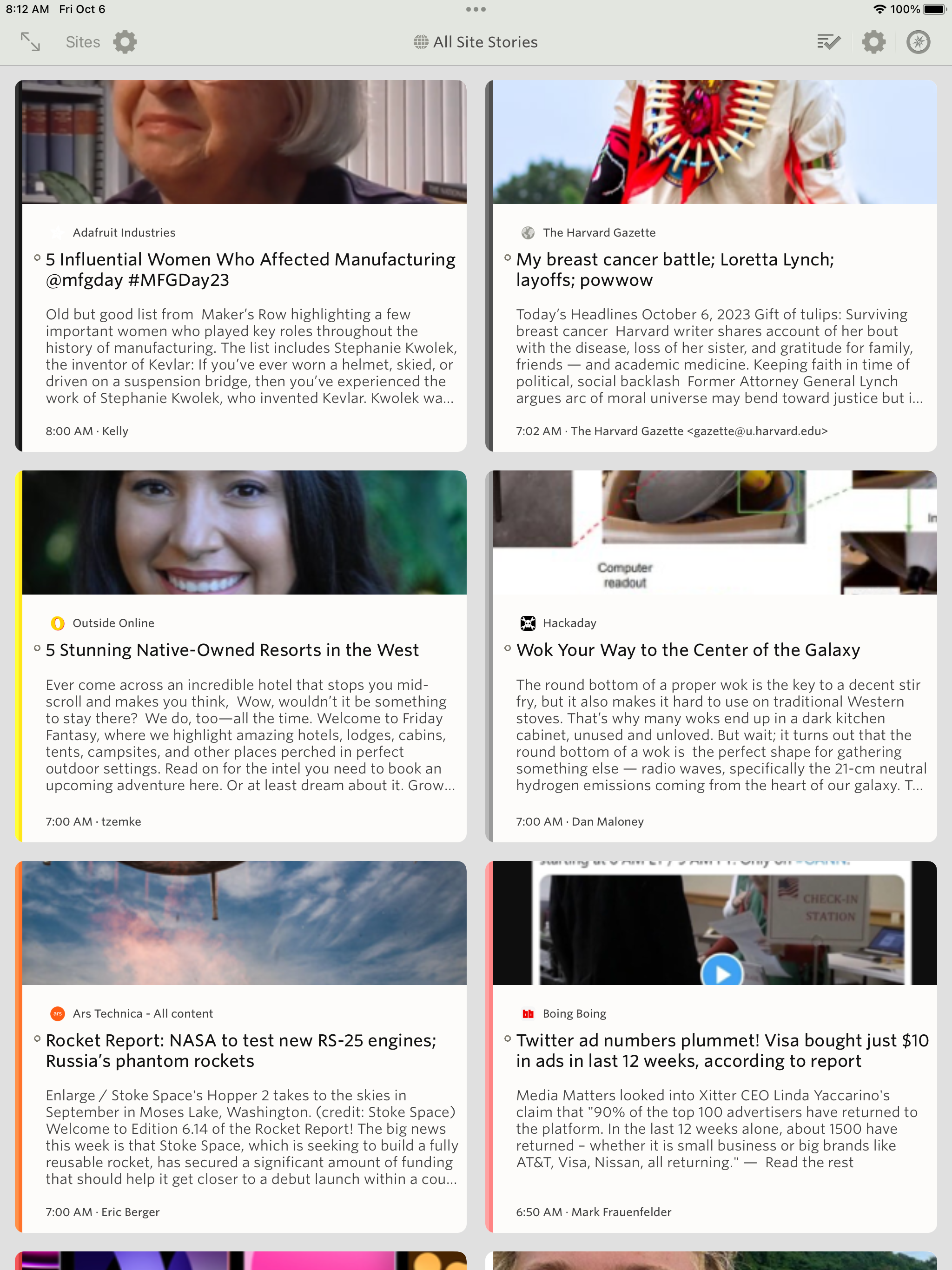
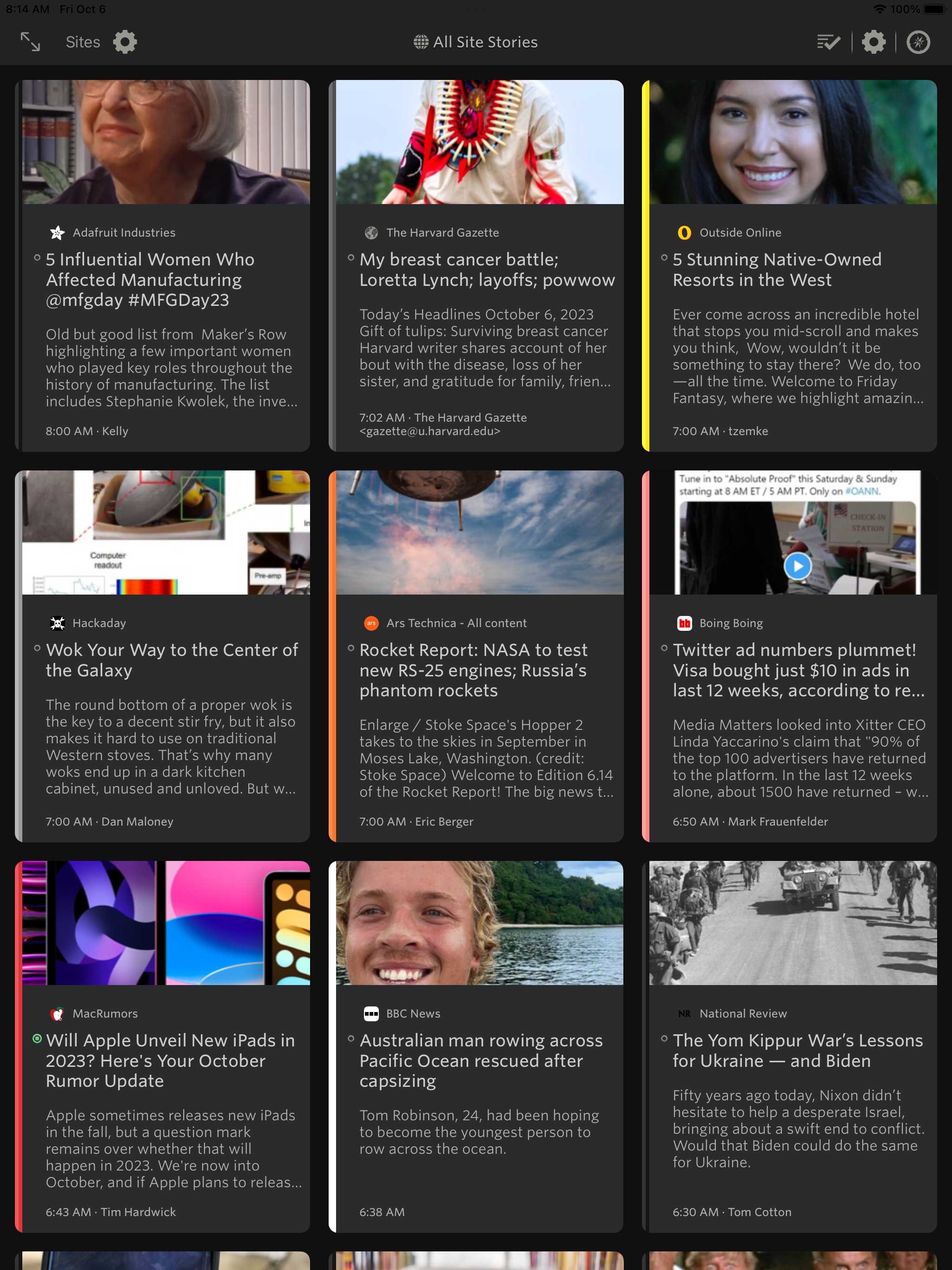
      <![CDATA[<p>The Grid view is now on iOS. Read stories with large thumbnails in a magazine-like format, where you can see a customizable number of story previews at once. Works beautifully for both iPhone and iPad.
<img src="/assets/ipad-grid-1.png" style="width: 100%;border: 1px solid #A0A0A0;margin: 24px auto;display: block;" /></p>

<p>Just like on the web, you can customize how many stories you see and how large each story is, giving you the freedom to read stories with large thumbnails or small image previews.</p>

<p><img src="/assets/ipad-grid-2.png" style="width: 100%;border: 1px solid #A0A0A0;margin: 24px auto;display: block;" /></p>

<p>It even works on iPhone!</p>

<p><img src="/assets/iphone-grid.png" style="width: 100%;border: 1px solid #A0A0A0;margin: 24px auto;display: block;" /></p>

<p>If you have any other ideas you’d like to see on iPad and iPhone, feel free to post an idea on the <a href="https://forum.newsblur.com">NewsBlur Forum</a>.</p>

<p>This is a huge release and has been a year in the making. Coming up soon: a new Mac app and intelligent feed discovery.</p>
]]>
    </content>


    <category term="ios" />
    
    
    <summary type="html">
      <![CDATA[The Grid view is now on iOS. Read stories with large thumbnails in a magazine-like format, where you can see a customizable number of story previews at once. Works beautifully for both iPhone and iPad.

]]>
    </summary>
    
  </entry>
  
  <entry>
    <title type="html">NewsBlur Premium Archive subscription keeps all of your stories searchable, shareable, and unread forever</title>
    <link href="https://blog.newsblur.com/2022/07/01/premium-archive-subscription/" rel="alternate" type="text/html" title="NewsBlur Premium Archive subscription keeps all of your stories searchable, shareable, and unread forever" />
    <published>2022-07-01T00:00:00-04:00</published>
    <updated>2022-07-01T00:00:00-04:00</updated>
    <id>https://blog.newsblur.com/2022/07/01/premium-archive-subscription</id>
    <content type="html" xml:base="https://blog.newsblur.com/2022/07/01/premium-archive-subscription/">
      <![CDATA[<p>For $99/year every story from every site you subscribe to will stay in NewsBlur’s archive. This new premium tier also allows you to mark any story as unread as well as choose when stories are automatically marked as read. You can now have full control of your story archive, letting you search, share, and read stories forever without having to worry about them being deleted.</p>

<p>The NewsBlur Premium Archive subscription offers you the following:</p>

<ul>
  <li><img src="/assets/icons8/icons8-bursts-100.png" style="width: 16px;margin: 0 6px 0 0;display: inline-block;" /> Everything in the premium subscription, of course</li>

  <li><img src="/assets/icons8/icons8-relax-with-book-100.png" style="width: 16px;margin: 0 6px 0 0;display: inline-block;" /> Choose when stories are automatically marked as read</li>

  <li><img src="/assets/icons8/icons8-filing-cabinet-100.png" style="width: 16px;margin: 0 6px 0 0;display: inline-block;" /> Every story from every site is archived and searchable forever</li>

  <li><img src="/assets/icons8/icons8-quadcopter-100.png" style="width: 16px;margin: 0 6px 0 0;display: inline-block;" /> Feeds that support paging are back-filled in for a complete archive</li>

  <li><img src="/assets/icons8/icons8-rss-100.png" style="width: 16px;margin: 0 6px 0 0;display: inline-block;" /> Export trained stories from folders as RSS feeds</li>

  <li><img src="/assets/icons8/icons8-calendar-100.png" style="width: 16px;margin: 0 6px 0 0;display: inline-block;" /> Stories can stay unread forever</li>
</ul>

<p>You can now enjoy a new preference for exactly when stories are marked as read:</p>

<p><img src="/assets/premium-archive-mark-read-date.png" style="width: 100%;border: 1px solid #A0A0A0;margin: 24px auto;display: block;" /></p>

<p>A technical note about the backfilling of your archive:</p>

<blockquote>
<p>NewsBlur uses two techniques to retrieve older stories that are no longer in the RSS feed. The first strategy is to append `?page=2` and `?paged=2` to the RSS feed and seeing if we're about to blindly iterate through the blog's archive. For WordPress and a few other CMSs, this works great and gives us a full archive. </p>

<p>A second technique is to use <a href="https://datatracker.ietf.org/doc/html/rfc5005">RFC 5005</a>, which supports links embedded inside the RSS feed to denote next and previous pages of an archive.</p>
</blockquote>

<p>NewsBlur attempts all of these techniques on every single feed you’ve subscribed to, and when it’s done backfilling stories, you’ll receive an email showing you how big your archive grew during this backfill process.</p>

<p>The launch of the new Premium Archive subscription tier also contains the <a href="/2022/07/01/dashboard-redesign-2022/">2022 redesign</a>, which includes a new dashboard layout, a refreshed design for story titles and feed title, and all new icons.</p>

<p>Here’s a screenshot that’s only possible with the new premium archive, complete with backfilled blog post from the year 2000, ready to be marked as unread.</p>

<p><img src="/assets/premium-archive-unread.png" style="width: 100%;border: 1px solid #A0A0A0;margin: 24px auto;display: block;" /></p>

<p>How’s that for an archive?</p>
]]>
    </content>


    <category term="web" />
    
    <category term="ios" />
    
    <category term="android" />
    
    
    <summary type="html">
      <![CDATA[For $99/year every story from every site you subscribe to will stay in NewsBlur’s archive. This new premium tier also allows you to mark any story as unread as well as choose when stories are automatically marked as read. You can now have full control of your story archive, letting...]]>
    </summary>
    
  </entry>
  
  <entry>
    <title type="html">2022 redesign: new dashboard layout, refreshed stories and story titles, and entirely redrawn icons</title>
    <link href="https://blog.newsblur.com/2022/07/01/dashboard-redesign-2022/" rel="alternate" type="text/html" title="2022 redesign: new dashboard layout, refreshed stories and story titles, and entirely redrawn icons" />
    <published>2022-07-01T00:00:00-04:00</published>
    <updated>2022-07-01T00:00:00-04:00</updated>
    <id>https://blog.newsblur.com/2022/07/01/dashboard-redesign-2022</id>
    <content type="html" xml:base="https://blog.newsblur.com/2022/07/01/dashboard-redesign-2022/">
      <![CDATA[<p>The launch of the new <a href="/2022/07/01/premium-archive-subscription/">Premium Archive subscription tier</a> also includes the 2022 redesign. You’ll see a third dashboard layout which stretches out your dashboard rivers across the width of the screen.</p>

<p><img src="/assets/premium-archive-dashboard-comfortable.png" style="width: calc(140%);margin: 12px 0 12px calc(-20%);max-width: none;border: none" /></p>

<p>The latest redesign style has more accomodations for spacing and padding around each story title element. The result is a cleaner story title with easier to read headlines. The author has been moved and restyled to be next to the story date. Favicons and unread status indicators have been swapped, and font sizes, colors, and weights have been adjusted.</p>

<p><img src="/assets/premium-archive-dashboard-compact.png" style="width: calc(140%);margin: 12px 0 12px calc(-20%);max-width: none;border: none" /></p>

<p>If you find the interface to be too airy, there is a setting in the main Manage menu allowing you to switch between Comfortable and Compact. The compact interface is denser than before, giving power users a highly detailed view.</p>

<p>Transitions have also been added to help you feel the difference. And there are new animations during many of the transitions that accompany changing settings.</p>

<p>
    <video autoplay="" loop="" playsinline="" muted="" width="500" style="width: 500px;border: 2px solid rgba(0,0,0,0.1)">
        <source src="/assets/premium-archive-grid.mp4" type="video/mp4" />
    </video>
</p>

<p>And lastly, this redesign comes with a suite of all new icons. The goal with this icon redesign is to bring a consistent weight to each icon as well as vectorize them with SVG so they look good at all resolutions.</p>

<p><img src="/assets/premium-archive-manage-menu.png" style="width: 275px;border: 1px solid #A0A0A0;margin: 24px auto;display: block;" /></p>

<p>A notable icon change is the unread indicator, which now has different size icons for both unread stories and focus stories, giving focus stories more depth.</p>

<p><img src="/assets/premium-archive-unread-dark.png" style="width: 375px;border: 1px solid #A0A0A0;margin: 24px auto;display: block;" /></p>

<p>Here’s a screenshot that’s only possible with the new premium archive, complete with backfilled blog post from the year 2000, ready to be marked as unread.</p>

<p><img src="/assets/premium-archive-unread.png" style="width: 100%;border: 1px solid #A0A0A0;margin: 24px auto;display: block;" /></p>

<p>I tried to find every icon, so if you spot a dialog or menu that you’d like to see given some more love, reach out on the support forum.</p>
]]>
    </content>


    <category term="web" />
    
    
    <summary type="html">
      <![CDATA[The launch of the new Premium Archive subscription tier also includes the 2022 redesign. You’ll see a third dashboard layout which stretches out your dashboard rivers across the width of the screen.
]]>
    </summary>
    
  </entry>
  
  <entry>
    <title type="html">New gesture-based layout for the NewsBlur iPad App</title>
    <link href="https://blog.newsblur.com/2022/03/28/redesigned-ios-layout/" rel="alternate" type="text/html" title="New gesture-based layout for the NewsBlur iPad App" />
    <published>2022-03-28T00:00:00-04:00</published>
    <updated>2022-03-28T00:00:00-04:00</updated>
    <id>https://blog.newsblur.com/2022/03/28/redesigned-ios-layout</id>
    <content type="html" xml:base="https://blog.newsblur.com/2022/03/28/redesigned-ios-layout/">
      <![CDATA[<p>We have a big update for you on iOS, complete with a redesigned layout engine. You’ll see this mostly on iPad, where you can now interactively swipe between panes, customize how many panes you see, and even customize where the story titles are on the screen relative to the story content.</p>

<p>Let’s take a look at all of the new features, starting with the improved gesture-based layout engine for navigating between stories and feeds.</p>

<p>
    <video autoplay="autoplay" loop="true" muted="" playsinline="" width="650" style="width: 650px;border: 2px solid rgba(0,0,0,0.1);margin: 0 auto;display: block;">
        <source src="/assets/ipad-redesigned-layout-2.mp4" type="video/mp4" />
    </video>
</p>

<p>A whole bunch of new controls and customizations have been added to the settings menu in the story titles menu, which is where you can find these new options for 2-column/3-column/full screen view panes.</p>

<p><img src="/assets/ipad-story-title-customizations.png" /></p>

<p>There’s also a new homescreen widget for showing 3-6 stories on your dashboard.</p>

<p><img src="/assets/ipad-widget.png" /></p>

<p>You can also expect to find feature parity with Android and the web when it comes to the new image preview and content preview options for story titles.</p>

<p><img src="/assets/ipad-image-preview.png" /></p>

<p>You can now save stories and subscribe to feeds from other apps using the NewsBlur Share extension. This includes your saved story tags and associated counts.</p>

<p><img src="/assets/iphone-share-extension.png" style="margin: 0 auto; display: block; width: 450px;" /></p>

<p>This release also contains numerous improvements, subtle refinements, and assorted fixed bugs.</p>

<p>If you have any ideas for how you would like to see the iPad and iPhone app improved, please post ideas to the <a href="https://forum.newsblur.com">NewsBlur Forum</a>. I’m all ears and would love to prioritize improvements or changes that create a better mobile reading experience.</p>
]]>
    </content>


    <category term="ios" />
    
    
    <summary type="html">
      <![CDATA[We have a big update for you on iOS, complete with a redesigned layout engine. You’ll see this mostly on iPad, where you can now interactively swipe between panes, customize how many panes you see, and even customize where the story titles are on the screen relative to the story...]]>
    </summary>
    
  </entry>
  
  <entry>
    <title type="html">Magazine view offers a new perspective</title>
    <link href="https://blog.newsblur.com/2022/03/10/magazine-view/" rel="alternate" type="text/html" title="Magazine view offers a new perspective" />
    <published>2022-03-10T00:00:00-05:00</published>
    <updated>2022-03-10T00:00:00-05:00</updated>
    <id>https://blog.newsblur.com/2022/03/10/magazine-view</id>
    <content type="html" xml:base="https://blog.newsblur.com/2022/03/10/magazine-view/">
      <![CDATA[<p>Here’s a nice feature that brings a new perspective to your stories. It’s called the Magazine view and features larger images, longer story content previews, and improved legibility of text.</p>

<p>Take a look and see how the Magazine view shwocases stories in a new way:</p>

<p><img src="/assets/magazine-light.png" style="width: 750px;border: 1px solid #A0A0A0;margin: 12px auto;" /></p>

<p>The Magazine view is also customizable. By default, fonts are a bit larger in the Magazine view. You can still change font sizes as well as customize the position and size of the image preview. There is also a control for how long the story content previews are, all found inside the Style popover.</p>

<p><img src="/assets/style-popover-bottom.png" style="width: 375px;border: 1px solid #A0A0A0;margin: 24px auto;display: block;" /></p>

<p>And in dark mode, these customizations show how tailored you can make NewsBlur look.</p>

<p><img src="/assets/magazine-dark.png" style="width: 750px;border: 1px solid #A0A0A0;margin: 12px auto;" /></p>

<p>You can access the new Magazine view next to the other story title view layouts.</p>

<p><img src="/assets/magazine-views.png" style="width: 450px;border: 1px solid #A0A0A0;margin: 24px auto;display: block;" /></p>

<p>The Grid view also features improvements to the story content preview. New lines are now preserved in both Magazine and Grid views, so you can capture a bit of longer form stories without opening them up.</p>

<p><img src="/assets/grid-dark.png" style="width: 750px;border: 1px solid #A0A0A0;margin: 12px auto;" /></p>

<p>Also included are some backend changes to how YouTube videos thumbnail are found, so you should see even more image previews in your feeds.</p>

]]>
    </content>


    <category term="web" />
    
    
    <summary type="html">
      <![CDATA[Here’s a nice feature that brings a new perspective to your stories. It’s called the Magazine view and features larger images, longer story content previews, and improved legibility of text.
]]>
    </summary>
    
  </entry>
  
  <entry>
    <title type="html">Redesigning NewsBlur on the web, iOS, and Android</title>
    <link href="https://blog.newsblur.com/2021/07/01/refreshing-newsblur-design/" rel="alternate" type="text/html" title="Redesigning NewsBlur on the web, iOS, and Android" />
    <published>2021-07-01T00:00:00-04:00</published>
    <updated>2021-07-01T00:00:00-04:00</updated>
    <id>https://blog.newsblur.com/2021/07/01/refreshing-newsblur-design</id>
    <content type="html" xml:base="https://blog.newsblur.com/2021/07/01/refreshing-newsblur-design/">
      <![CDATA[<p>This past year we’ve focused on maintenance and improving quality behind the scenes. It just so happens that the urge to clean is so strong that this work extended to the front-end. After months of work, today we’re launching a redesigned NewsBlur for all three platforms: on the web, on iOS, and on Android. There’s a lot that’s new. And what better day to launch a redesign than on <a href="/2013/03/17/three-months-to-scale-newsblur/">the ninth anniversary of the sunset of Google Reader</a>.</p>

<p>To start, let’s take a look below at the redesigned NewsBlur.</p>

<p><img src="/assets/redesign-web.png" style="width: 750px;" /></p>

<p>Loads of new features:</p>

<ul>
  <li>The dashboard now has multiple, customizable rivers of news</li>
  <li>Image previews are now customizable by size and layout</li>
  <li>Story previews are also customizable by length</li>
  <li>Images are now full bleed on the web (edge-to-edge)</li>
  <li>Controls have been re-styled and made more accessible</li>
  <li>Sizes, spaces, and text have all been tweaked for a more legible read</li>
  <li>Upgraded backend: Python 2 to Python 3, latest Django and libraries, containerized infrastructure</li>
  <li>Both Android and iOS apps have been updated with the new design</li>
</ul>

<p>Those multiple rivers come in handy when you want to follow different interests at a glance. You can of course change which individual feeds or folders is loaded, letting you focus on saved searches, infrequent stories, a single feed, or everything you’re subscribed to.</p>

<p>Below you can see the design in action. Notice how easy it is to change where the image preview is located as well as adjust the number of lines of story text to show.</p>

<p>
    <video autoplay="" loop="" playsinline="" width="500" style="width: 500px;border: 2px solid rgba(0,0,0,0.1)">
        <source src="/assets/redesign-content-preview.mp4" type="video/mp4" />
    </video>
</p>

<p>The reading experience itself has also seen improvement. Full bleed images have been ported over from iOS to both Android and the web. This means that images will now run edge-to-edge. And the controls at the top and bottom of the web app have been restyled to be easier to understand at a quick glance.</p>

<p><img src="/assets/redesign-full-bleed.jpg" style="border: 2px solid rgba(0,0,0,0.1);" /></p>

<p>There’s many ways to adjust story titles to fit. Pack them in dense or offer titles room to breathe.</p>

<p><img src="/assets/redesign-bottom.jpg" style="border: 2px solid rgba(0,0,0,0.1);" /></p>

<p>The redesign has also come to both of the official Android and iOS apps. Right now both are in beta testing, but you can join the <a href="https://testflight.apple.com/join/hYk9WU3f">iOS TestFlight</a> or the <a href="https://play.google.com/store/apps/details?id=com.newsblur&amp;hl=en_US&amp;gl=US">Android beta</a>.</p>

<p><img src="/assets/redesign-ios-android.png" style="" /></p>

<p>This whole redesign weighs in at a whopping 1,316 commits, which <a href="https://github.com/samuelclay/NewsBlur/compare/python2...master">you can view on GitHub</a>. Much of the work that took place here involves upgrading from Python 2 to Python 3 and containerizing everything with Docker. In a few weeks, we’ll post a technical writeup of what those backend changes are and how you can now run a local version of NewsBlur on your own computer with a single line of code. For those that want to run their own private instance of NewsBlur, that line of code is <code class="language-plaintext highlighter-rouge">make nb</code> and <a href="https://github.com/samuelclay/NewsBlur">instructions are found on the repo</a>.</p>

<p>If you’ve enjoyed using NewsBlur and are a fan of this grand redesign, please take a moment to share on social media that you read your news with the help of NewsBlur.</p>
]]>
    </content>


    <category term="backend" />
    
    <category term="web" />
    
    <category term="ios" />
    
    <category term="android" />
    
    
    <summary type="html">
      <![CDATA[This past year we’ve focused on maintenance and improving quality behind the scenes. It just so happens that the urge to clean is so strong that this work extended to the front-end. After months of work, today we’re launching a redesigned NewsBlur for all three platforms: on the web, on...]]>
    </summary>
    
  </entry>
  
  <entry>
    <title type="html">How a Docker footgun led to a vandal deleting NewsBlur&apos;s MongoDB database</title>
    <link href="https://blog.newsblur.com/2021/06/28/story-of-a-hacking/" rel="alternate" type="text/html" title="How a Docker footgun led to a vandal deleting NewsBlur&apos;s MongoDB database" />
    <published>2021-06-28T00:00:00-04:00</published>
    <updated>2021-06-28T00:00:00-04:00</updated>
    <id>https://blog.newsblur.com/2021/06/28/story-of-a-hacking</id>
    <content type="html" xml:base="https://blog.newsblur.com/2021/06/28/story-of-a-hacking/">
      <![CDATA[<p><em>tl;dr: A vandal deleted NewsBlur’s MongoDB database during a migration. No data was stolen or lost.</em></p>

<p>I’m in the process of moving everything on NewsBlur over to Docker containers in prep for a <a href="https://beta.newsblur.com">big redesign launching next week</a>. It’s been a great year of maintenance and I’ve enjoyed the fruits of Ansible + Docker for NewsBlur’s 5 database servers (PostgreSQL, MongoDB, Redis, Elasticsearch, and soon ML models). The day was wrapping up and I settled into <a href="https://en.wikipedia.org/wiki/Human_Compatible">a new book on how to tame the machines once they’re smarter than us</a> when I received a strange NewsBlur error on my phone.</p>

<div class="language-plaintext highlighter-rouge"><div class="highlight"><pre class="highlight"><code>"query killed during yield: renamed collection 'newsblur.feed_icons' to 'newsblur.system.drop.1624498448i220t-1.feed_icons'"
</code></pre></div></div>

<p>There is honestly no set of words in that error message that I ever want to see again. What is <code class="language-plaintext highlighter-rouge">drop</code> doing in that error message? Better go find out.</p>

<p>Logging into the MongoDB machine to check out what state the DB is in and I come across the following…</p>

<figure class="highlight"><pre><code class="language-javascript" data-lang="javascript"><span class="nx">nbset</span><span class="p">:</span><span class="nx">PRIMARY</span><span class="o">&gt;</span> <span class="nx">show</span> <span class="nx">dbs</span>
<span class="nx">READ__ME_TO_RECOVER_YOUR_DATA</span>   <span class="mf">0.000</span><span class="nx">GB</span>
<span class="nx">newsblur</span>                        <span class="mf">0.718</span><span class="nx">GB</span>

<span class="nx">nbset</span><span class="p">:</span><span class="nx">PRIMARY</span><span class="o">&gt;</span> <span class="nx">use</span> <span class="nx">READ__ME_TO_RECOVER_YOUR_DATA</span>
<span class="nx">switched</span> <span class="nx">to</span> <span class="nx">db</span> <span class="nx">READ__ME_TO_RECOVER_YOUR_DATA</span>
    
<span class="nx">nbset</span><span class="p">:</span><span class="nx">PRIMARY</span><span class="o">&gt;</span> <span class="nx">db</span><span class="p">.</span><span class="nx">README</span><span class="p">.</span><span class="nf">find</span><span class="p">()</span>
<span class="p">{</span> 
    <span class="dl">"</span><span class="s2">_id</span><span class="dl">"</span> <span class="p">:</span> <span class="nc">ObjectId</span><span class="p">(</span><span class="dl">"</span><span class="s2">60d3e112ac48d82047aab95d</span><span class="dl">"</span><span class="p">),</span> 
    <span class="dl">"</span><span class="s2">content</span><span class="dl">"</span> <span class="p">:</span> <span class="dl">"</span><span class="s2">All your data is a backed up. You must pay 0.03 BTC to XXXXXXFTHISGUYXXXXXXX 48 hours for recover it. After 48 hours expiration we will leaked and exposed all your data. In case of refusal to pay, we will contact the General Data Protection Regulation, GDPR and notify them that you store user data in an open form and is not safe. Under the rules of the law, you face a heavy fine or arrest and your base dump will be dropped from our server! You can buy bitcoin here, does not take much time to buy https://localbitcoins.com or https://buy.moonpay.io/ After paying write to me in the mail with your DB IP: FTHISGUY@recoverme.one and you will receive a link to download your database dump.</span><span class="dl">"</span> 
<span class="p">}</span></code></pre></figure>

<p>Two thoughts immediately occured:</p>

<ol>
  <li>Thank goodness I have some recently checked backups on hand</li>
  <li>No way they have that data without me noticing</li>
</ol>

<p>Three and a half hours before this happened, I switched the MongoDB cluster over to the new servers. When I did that, I shut down the original primary in order to delete it in a few days when all was well. And thank goodness I did that as it came in handy a few hours later. Knowing this, I realized that the hacker could not have taken all that data in so little time.</p>

<p>With that in mind, I’d like to answer a few questions about what happened here.</p>

<ol>
  <li>Was any data leaked during the hack? How do you know?</li>
  <li>How did NewsBlur’s MongoDB server get hacked?</li>
  <li>What will happen to ensure this doesn’t happen again?</li>
</ol>

<p>Let’s start by talking about the most important question of all which is what happened to your data.</p>

<h3 id="1-was-any-data-leaked-during-the-hack-how-do-you-know">1. Was any data leaked during the hack? How do you know?</h3>

<p>I can definitively write that no data was leaked during the hack. I know this because of two different sets of logs showing that the automated attacker only issued deletion commands and did not transfer any data off of the MongoDB server.</p>

<p>Below is a snapshot of the bandwidth of the db-mongo1 machine over 24 hours:</p>

<p><img src="/assets/hack-timeline.png" style="border: 1px solid rgba(0,0,0,0.1);" /></p>

<p>You can imagine the stress I experienced in the forty minutes between 9:35p, when the hack began, and 10:15p, when the fresh backup snapshot was identified and put into gear. Let’s breakdown each moment:</p>

<ol>
  <li><strong>6:10p</strong>: The new db-mongo1 server was put into rotation as the MongoDB primary server. This machine was the first of the new, soon-to-be private cloud.</li>
  <li><strong>9:35p</strong>: Three hours later an automated hacking attempt opened a connection to the db-mongo1 server and immediately dropped the database. Downtime ensued.</li>
  <li><strong>10:15p</strong>: Before the former primary server could be placed into rotation, a snapshot of the server was made to ensure the backup would not delete itself upon reconnection. This cost a few hours of downtime, but saved nearly 18 hours of a day’s data by not forcing me to go into the daily backup archive.</li>
  <li><strong>3:00a</strong>: Snapshot completes, replication from original primary server to new db-mongo1 begins. What you see in the next hour and a half is what the transfer of the DB looks like in terms of bandwidth.</li>
  <li><strong>4:30a</strong>: Replication, which is inbound from the old primary server, completes, and now replication begins outbound on the new secondaries. NewsBlur is now back up.</li>
</ol>

<p>The most important bit of information the above chart shows us is what a full database transfer looks like in terms of bandwidth. From 6p to 9:30p, the amount of data was the expected amount from a working primary server with multiple secondaries syncing to it. At 3a, you’ll see an enormous amount of data transfered.</p>

<p>This tells us that the hacker was an automated digital vandal rather than a concerted hacking attempt. And if we were to pay the ransom, it wouldn’t do anything because the vandals don’t have the data and have nothing to release.</p>

<p>We can also reason that the vandal was not able to access any files that were on the server outside of MongoDB due to using a recent version of MongoDB in a Docker container. Unless the attacker had access to a 0-day to both MongoDB and Docker, it is highly unlikely they were able to break out of the MongoDB server connection.</p>

<p>While the server was being snapshot, I used that time to figure out how the hacker got in.</p>

<h3 id="2-how-did-newsblurs-mongodb-server-get-hacked">2. How did NewsBlur’s MongoDB server get hacked?</h3>

<p>Turns out the ufw firewall I enabled and diligently kept on a strict allowlist with only my internal servers didn’t work on a new server because of Docker. When I containerized MongoDB, Docker helpfully inserted an allow rule into iptables, opening up MongoDB to the world. So while my firewall was “active”, doing a <code class="language-plaintext highlighter-rouge">sudo iptables -L | grep 27017</code> showed that MongoDB was open the world. This has been <a href="https://github.com/moby/moby/issues/4737">a Docker footgun since 2014</a>.</p>

<p>To be honest, I’m a bit surprised it took over 3 hours from when I flipped the switch to when a hacker/vandal dropped NewsBlur’s MongoDB collections and pretended to ransom about 250GB of data. This is the work of an automated hack and one that I was prepared for. NewsBlur was back online a few hours later once the backups were restored and the Docker-made hole was patched.</p>

<p>It would make for a much more dramatic read if I was hit through a vulnerability in Docker instead of a footgun. By having Docker silently override the firewall, Docker has made it easier for developers who want to open up ports on their containers at the expense of security. Better would be for Docker to issue a warning when it detects that the most popular firewall on Linux is active and filtering traffic to a port that Docker is about to open.</p>

<p><img src="/assets/ornament-pill.png" style="display: block; margin: 0 auto;width: 100px;" /></p>

<p>The second reason we know that no data was taken comes from looking through the MongoDB access logs. With these rich and verbose logging sources we can invoke a pretty neat command to find everybody who is not one of the 100 known NewsBlur machines that has accessed MongoDB.</p>

<div class="language-plaintext highlighter-rouge"><div class="highlight"><pre class="highlight" style="max-height: 200px;"><code>
$ cat /var/log/mongodb/mongod.log | egrep -v "159.65.XX.XX|161.89.XX.XX|&lt;&lt; SNIP: A hundred more servers &gt;&gt;"

2021-06-24T01:33:45.531+0000 I NETWORK  [listener] connection accepted from 171.25.193.78:26003 #63455699 (1189 connections now open)
2021-06-24T01:33:45.635+0000 I NETWORK  [conn63455699] received client metadata from 171.25.193.78:26003 conn63455699: { driver: { name: "PyMongo", version: "3.11.4" }, os: { type: "Linux", name: "Linux", architecture: "x86_64", version: "5.4.0-74-generic" }, platform: "CPython 3.8.5.final.0" }
2021-06-24T01:33:46.010+0000 I NETWORK  [listener] connection accepted from 171.25.193.78:26557 #63455724 (1189 connections now open)
2021-06-24T01:33:46.092+0000 I NETWORK  [conn63455724] received client metadata from 171.25.193.78:26557 conn63455724: { driver: { name: "PyMongo", version: "3.11.4" }, os: { type: "Linux", name: "Linux", architecture: "x86_64", version: "5.4.0-74-generic" }, platform: "CPython 3.8.5.final.0" }
2021-06-24T01:33:46.500+0000 I NETWORK  [conn63455724] end connection 171.25.193.78:26557 (1198 connections now open)
2021-06-24T01:33:46.533+0000 I NETWORK  [conn63455699] end connection 171.25.193.78:26003 (1200 connections now open)
2021-06-24T01:34:06.533+0000 I NETWORK  [listener] connection accepted from 185.220.101.6:10056 #63456621 (1266 connections now open)
2021-06-24T01:34:06.627+0000 I NETWORK  [conn63456621] received client metadata from 185.220.101.6:10056 conn63456621: { driver: { name: "PyMongo", version: "3.11.4" }, os: { type: "Linux", name: "Linux", architecture: "x86_64", version: "5.4.0-74-generic" }, platform: "CPython 3.8.5.final.0" }
2021-06-24T01:34:06.890+0000 I NETWORK  [listener] connection accepted from 185.220.101.6:21642 #63456637 (1264 connections now open)
2021-06-24T01:34:06.962+0000 I NETWORK  [conn63456637] received client metadata from 185.220.101.6:21642 conn63456637: { driver: { name: "PyMongo", version: "3.11.4" }, os: { type: "Linux", name: "Linux", architecture: "x86_64", version: "5.4.0-74-generic" }, platform: "CPython 3.8.5.final.0" }
2021-06-24T01:34:08.018+0000 I COMMAND  [conn63456637] dropDatabase config - starting
2021-06-24T01:34:08.018+0000 I COMMAND  [conn63456637] dropDatabase config - dropping 1 collections
2021-06-24T01:34:08.018+0000 I COMMAND  [conn63456637] dropDatabase config - dropping collection: config.transactions
2021-06-24T01:34:08.020+0000 I STORAGE  [conn63456637] dropCollection: config.transactions (no UUID) - renaming to drop-pending collection: config.system.drop.1624498448i1t-1.transactions with drop optime { ts: Timestamp(1624498448, 1), t: -1 }
2021-06-24T01:34:08.029+0000 I REPL     [replication-14545] Completing collection drop for config.system.drop.1624498448i1t-1.transactions with drop optime { ts: Timestamp(1624498448, 1), t: -1 } (notification optime: { ts: Timestamp(1624498448, 1), t: -1 })
2021-06-24T01:34:08.030+0000 I STORAGE  [replication-14545] Finishing collection drop for config.system.drop.1624498448i1t-1.transactions (no UUID).
2021-06-24T01:34:08.030+0000 I COMMAND  [conn63456637] dropDatabase config - successfully dropped 1 collections (most recent drop optime: { ts: Timestamp(1624498448, 1), t: -1 }) after 7ms. dropping database
2021-06-24T01:34:08.032+0000 I REPL     [replication-14546] Completing collection drop for config.system.drop.1624498448i1t-1.transactions with drop optime { ts: Timestamp(1624498448, 1), t: -1 } (notification optime: { ts: Timestamp(1624498448, 5), t: -1 })
2021-06-24T01:34:08.041+0000 I COMMAND  [conn63456637] dropDatabase config - finished
2021-06-24T01:34:08.398+0000 I COMMAND  [conn63456637] dropDatabase newsblur - starting
2021-06-24T01:34:08.398+0000 I COMMAND  [conn63456637] dropDatabase newsblur - dropping 37 collections

&lt;&lt; SNIP: It goes on for a while... &gt;&gt;

2021-06-24T01:35:18.840+0000 I COMMAND  [conn63456637] dropDatabase newsblur - finished
</code></pre></div></div>

<p>The above is a lot, but the important bit of information to take from it is that by using a subtractive filter, capturing everything that doesn’t match a known IP, I was able to find the two connections that were made a few seconds apart. Both connections from these unknown IPs occured only moments before the database-wide deletion. By following the connection ID, it became easy to see the hacker come into the server only to delete it seconds later.</p>

<p>Interestingly, when I visited the IP address of the <a href="http://185.220.101.6/">two</a> <a href="http://171.25.193.78/">connections</a> above, I found a Tor exit router:</p>

<p><img src="/assets/hack-tor.png" /></p>

<p>This means that it is virtually impossible to track down who is responsible due to the anonymity-preserving quality of Tor exit routers. <a href="https://blog.cloudflare.com/the-trouble-with-tor/">Tor exit nodes have poor reputations</a> due to the havoc they wreak. Site owners are split on whether to block Tor entirely, but some see the value of allowing anonymous traffic to hit their servers. In NewsBlur’s case, because NewsBlur is a home of free speech, allowing users in countries with censored news outlets to bypass restrictions and get access to the world at large, the continuing risk of supporting anonymous Internet traffic is worth the cost.</p>

<h3 id="3-what-will-happen-to-ensure-this-doesnt-happen-again">3. What will happen to ensure this doesn’t happen again?</h3>

<p>Of course, being in support of free speech and providing enhanced ways to access speech comes at a cost. So for NewsBlur to continue serving traffic to all of its worldwide readers, several changes have to be made.</p>

<p>The first change is the one that, ironically, we were in the process of moving to. A VPC, a virtual private cloud, keeps critical servers only accessible from others servers in a private network. But in moving to a private network, I need to migrate all of the data off of the publicly accessible machines. And this was the first step in that process.</p>

<p>The second change is to use database user authentication on all of the databases. We had been relying on the firewall to provide protection against threats, but when the firewall silently failed, we were left exposed. Now who’s to say that this would have been caught if the firewall failed but authentication was in place. I suspect the password needs to be long enough to not be brute-forced, because eventually, knowing that an open but password protected DB is there, it could very possibly end up on a list.</p>

<p>Lastly, a change needs to be made as to which database users have permission to drop the database. Most database users only need read and write privileges. The ideal would be a localhost-only user being allowed to perform potentially destructive actions. If a rogue database user starts deleting stories, it would get noticed a whole lot faster than a database being dropped all at once.</p>

<p>But each of these is only one piece of a defense strategy. <a href="https://news.ycombinator.com/item?id=27613217">As this well-attended Hacker News thread from the day of the hack made clear</a>, a proper defense strategy can never rely on only one well-setup layer. And for NewsBlur that layer was a allowlist-only firewall that worked perfectly up until it didn’t.</p>

<p>As usual the real heros are backups. Regular, well-tested backups are a necessary component to any web service. And with that, I’ll prepare to <a href="https://beta.newsblur.com">launch the big NewsBlur redesign later this week</a>.</p>
]]>
    </content>


    <category term="backend" />
    
    
    <summary type="html">
      <![CDATA[tl;dr: A vandal deleted NewsBlur’s MongoDB database during a migration. No data was stolen or lost.
]]>
    </summary>
    
  </entry>
  
  <entry>
    <title type="html">Android app update: premium subscriptions, saved searches, in-app browser, auto-dark mode</title>
    <link href="https://blog.newsblur.com/2020/11/03/android-app-update-premium-subscriptions-saved/" rel="alternate" type="text/html" title="Android app update: premium subscriptions, saved searches, in-app browser, auto-dark mode" />
    <published>2020-11-03T07:41:03-05:00</published>
    <updated>2020-11-03T07:41:03-05:00</updated>
    <id>https://blog.newsblur.com/2020/11/03/android-app-update-premium-subscriptions-saved</id>
    <content type="html" xml:base="https://blog.newsblur.com/2020/11/03/android-app-update-premium-subscriptions-saved/">
      <![CDATA[<p>For a point release this one sure is big. The Android app has been upgraded to include a bunch of features found on the web.</p>

<p>For one, premium subscriptions can now be purchased in the Android app itself. Reading by folder, saved story tags, searching and saved searches are all premium features that you can unlock directly in the app.</p>

<p>Also, saved searches are now at the bottom of your feed list. Take a look:</p>

<figure class="tmblr-full" data-orig-height="960" data-orig-width="1081" data-orig-src="https://s3.amazonaws.com/static.newsblur.com/blog/android-saved-searches.png"><img width="650" style="width: 650px; height: auto;" data-orig-height="960" data-orig-width="1081" src="https://s3.amazonaws.com/static.newsblur.com/blog/android-saved-searches.png" /></figure>

<p>Heres’ the full list of version 10.1’s many new features:</p>

<ul>
  <li>Premium subscriptions are now available on Android! Read by folder, saved story tags, searching, and more is exclusive to premium subscribers.</li>
  <li>Saved searches</li>
  <li>In-app browser, so you don’t need to leave NewsBlur</li>
  <li>Auto-theme option for dark mode so it can turn on automatically at night</li>
  <li>You can now delete and rename folders and add a folder while adding a feed</li>
  <li>Fixed issues around the intelligence trainer, HTML in comments, some images not loading</li>
</ul>

<p>If you would like to request a new feature on Android, please submit an idea on the <a href="https://forum.newsblur.com">NewsBlur Forum</a>. We’re prioritizing the next big release and would love to hear your input.</p>

]]>
    </content>


    <category term="android" />
    
    
    <summary type="html">
      <![CDATA[For a point release this one sure is big. The Android app has been upgraded to include a bunch of features found on the web.
]]>
    </summary>
    
  </entry>
  
  <entry>
    <title type="html">Customizable grid view story layout</title>
    <link href="https://blog.newsblur.com/2020/10/28/customizable-grid-view-story-layout/" rel="alternate" type="text/html" title="Customizable grid view story layout" />
    <published>2020-10-28T09:01:38-04:00</published>
    <updated>2020-10-28T09:01:38-04:00</updated>
    <id>https://blog.newsblur.com/2020/10/28/customizable-grid-view-story-layout</id>
    <content type="html" xml:base="https://blog.newsblur.com/2020/10/28/customizable-grid-view-story-layout/">
      <![CDATA[<p>The grid view has quickly become one of my go-to story title views. It provides generous, clickable boxes with enlarged images and plenty of preview text. But until now, they were limited to a preset height.</p>

<p>Starting today, you can now change the height of stories in the grid view. You have five options to choose from: XS, Small, Medium, Large, and XL.</p>

<figure class="tmblr-full" data-orig-height="761" data-orig-width="1000" data-orig-src="https://s3.us-east-1.amazonaws.com/static.newsblur.com/blog/grid_height_style.png"><img width="600" style="width:600px;margin: 24px auto; border: 1px solid #606060" data-orig-height="761" data-orig-width="1000" src="https://s3.us-east-1.amazonaws.com/static.newsblur.com/blog/grid_height_style.png" /></figure>

<p>Here are a few examples of how you can customize the grid view.</p>

<p>With the single column layout:</p>

<figure class="tmblr-full" data-orig-height="966" data-orig-width="1000" data-orig-src="https://s3.us-east-1.amazonaws.com/static.newsblur.com/blog/grid_height_1.png"><img width="600" style="width:600px;margin: 24px auto; border: 1px solid #606060" data-orig-height="966" data-orig-width="1000" src="https://s3.us-east-1.amazonaws.com/static.newsblur.com/blog/grid_height_1.png" /></figure>

<p>With the 2 column layout:</p>

<figure class="tmblr-full" data-orig-height="938" data-orig-width="1000" data-orig-src="https://s3.us-east-1.amazonaws.com/static.newsblur.com/blog/grid_height_2.png"><img width="600" style="width:600px;margin: 24px auto; border: 1px solid #606060" data-orig-height="938" data-orig-width="1000" src="https://s3.us-east-1.amazonaws.com/static.newsblur.com/blog/grid_height_2.png" /></figure>

<p>With the 3 column layout:</p>

<figure class="tmblr-full" data-orig-height="715" data-orig-width="1000" data-orig-src="https://s3.us-east-1.amazonaws.com/static.newsblur.com/blog/grid_height_3.png"><img width="600" style="width:600px;margin: 24px auto; border: 1px solid #606060" data-orig-height="715" data-orig-width="1000" src="https://s3.us-east-1.amazonaws.com/static.newsblur.com/blog/grid_height_3.png" /></figure>

<p>With the 4 column layout:</p>

<figure class="tmblr-full" data-orig-height="957" data-orig-width="1000" data-orig-src="https://s3.us-east-1.amazonaws.com/static.newsblur.com/blog/grid_height_4.png"><img width="600" style="width:600px;margin: 24px auto; border: 1px solid #606060" data-orig-height="957" data-orig-width="1000" src="https://s3.us-east-1.amazonaws.com/static.newsblur.com/blog/grid_height_4.png" /></figure>

<p>Don’t forget you can also adjust the font size and even turn off image previews.</p>

]]>
    </content>


    <category term="web" />
    
    
    <summary type="html">
      <![CDATA[The grid view has quickly become one of my go-to story title views. It provides generous, clickable boxes with enlarged images and plenty of preview text. But until now, they were limited to a preset height.
]]>
    </summary>
    
  </entry>
  
  <entry>
    <title type="html">Highlight passages and add private notes to saved stories</title>
    <link href="https://blog.newsblur.com/2020/07/17/highlight-passages-and-add-private-notes-on-saved/" rel="alternate" type="text/html" title="Highlight passages and add private notes to saved stories" />
    <published>2020-07-17T08:30:05-04:00</published>
    <updated>2020-07-17T08:30:05-04:00</updated>
    <id>https://blog.newsblur.com/2020/07/17/highlight-passages-and-add-private-notes-on-saved</id>
    <content type="html" xml:base="https://blog.newsblur.com/2020/07/17/highlight-passages-and-add-private-notes-on-saved/">
      <![CDATA[<p>When you’re reading a story and want to save a portion of it for personal use, you now have a couple new options. Highlighting is now available for all stories. Simply select the text you want to highlight and NewsBlur helpfully shows a tooltip that allows you to select a part of the text and save it.</p>

<figure class="tmblr-full" data-orig-height="1128" data-orig-width="1492" data-orig-src="https://s3.amazonaws.com/static.newsblur.com/blog/highlight1.png"><img width="650" height="auto" data-orig-height="1128" data-orig-width="1492" src="https://s3.amazonaws.com/static.newsblur.com/blog/highlight1.png" /></figure>

<p>You can enrich your reading experience with highlights and come back to passages you want to remember. All stories with highlights are tagged as “Highlights” in your Saved Story tags list. That way you can immediately come back to your highlights.</p>

<figure class="tmblr-full" data-orig-height="398" data-orig-width="1958" data-orig-src="https://s3.amazonaws.com/static.newsblur.com/blog/highlight2a.png"><img width="650" height="auto" data-orig-height="398" data-orig-width="1958" src="https://s3.amazonaws.com/static.newsblur.com/blog/highlight2a.png" /></figure>

<p>Second, you can now also write private notes to yourself. If you’re doing research and want to remember why a particular story is being saved, the private notes text box can save your thoughts without having to share them with the world.</p>

<figure class="tmblr-full" data-orig-height="1048" data-orig-width="1792" data-orig-src="https://s3.amazonaws.com/static.newsblur.com/blog/highlight3.png"><img width="650" height="auto" data-orig-height="1048" data-orig-width="1792" src="https://s3.amazonaws.com/static.newsblur.com/blog/highlight3.png" /></figure>

<p>A few other small changes have been added to this feature. You can also save stories and tag them from any website using the bookmarklet (which you can install under Manage &gt; Goodies &gt; Bookmarklet).</p>

<figure class="tmblr-full" data-orig-height="985" data-orig-width="1300" data-orig-src="https://s3.amazonaws.com/static.newsblur.com/blog/highlight4.jpg"><img width="650" height="auto" data-orig-height="985" data-orig-width="1300" src="https://s3.amazonaws.com/static.newsblur.com/blog/highlight4.jpg" /></figure>

<p>Lots to love in this release! Keep <a href="https://forum.newsblur.com">posting good ideas to the forum</a>.</p>

]]>
    </content>


    <category term="web" />
    
    
    <summary type="html">
      <![CDATA[When you’re reading a story and want to save a portion of it for personal use, you now have a couple new options. Highlighting is now available for all stories. Simply select the text you want to highlight and NewsBlur helpfully shows a tooltip that allows you to select a...]]>
    </summary>
    
  </entry>
  
</feed>