
Ask AI to make sense of the news
Sometimes I open a story and realize I’m late to the party. Maybe it’s the fourth article in a saga I haven’t followed, maybe it name-drops people I should know, or maybe it’s dense and I just want the gist. Ask AI fills in those gaps. You can ask about any story in NewsBlur and get quick answers from the model you prefer.
How it works
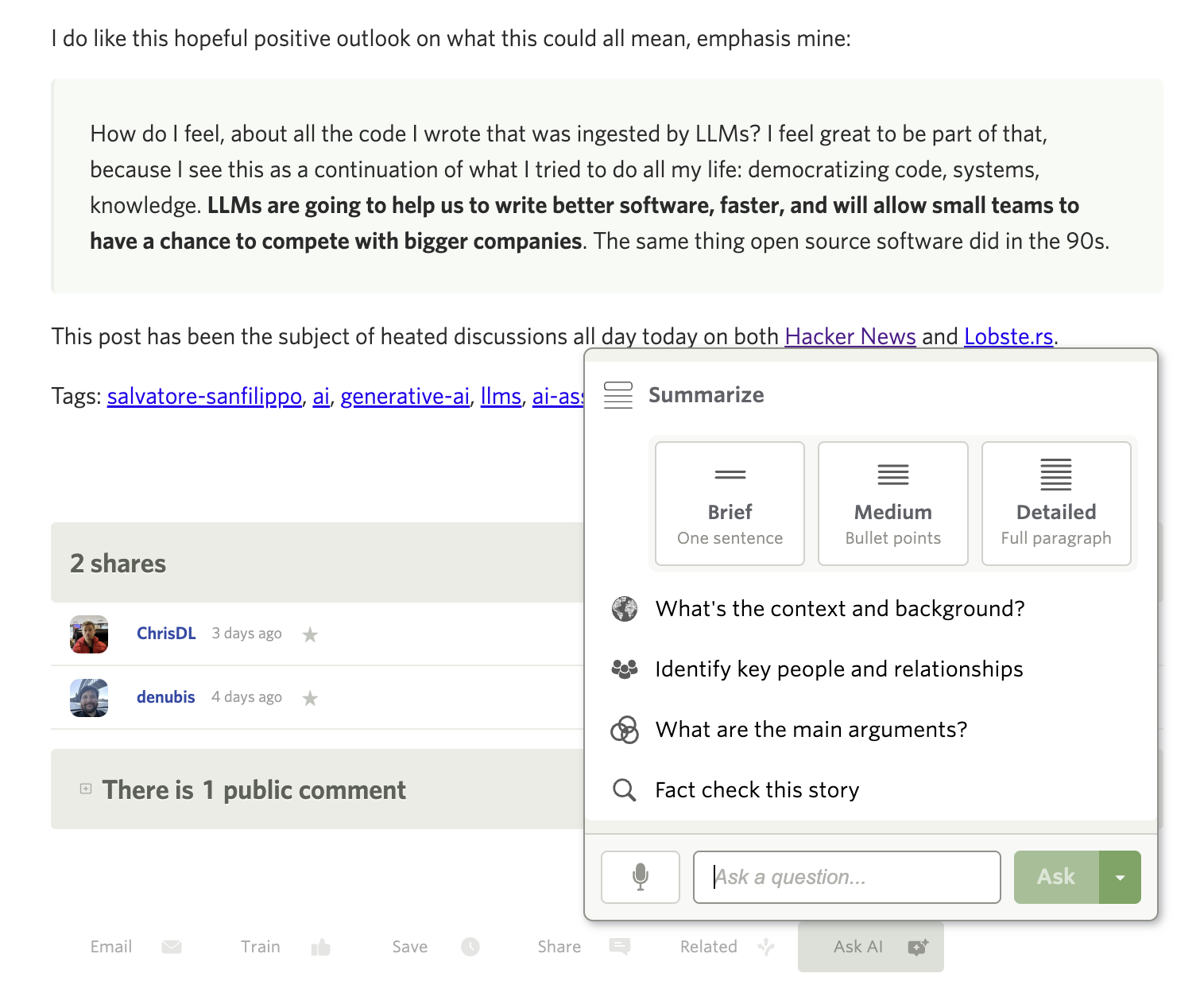
Select a story and click Ask AI in the story toolbar. You’ll see quick options for getting information about the story.
Not interested? Turn it off
I know AI features aren’t for everyone. If you’d rather not see Ask AI at all, you can hide it completely. Go to Manage → Preferences → Stories and toggle off “Show Ask AI button.” The button disappears from your toolbar and you’ll never be bothered by it again. NewsBlur has always been about giving you control over your reading experience, and this is no different.
Presets for common questions
At the top of the menu, you can summarize the story in three flavors: a single sentence, bullet points, or a full paragraph. Below that are presets I use most often:
- What’s the context and background? — Fills in backstory you might have missed
- Identify key people and relationships — Who are all these names and how do they connect?
- What are the main arguments? — For opinion pieces or debates, cuts to what each side is saying
- Fact check this story — Flags claims that look worth verifying
Or just type whatever you’re curious about.
Speak your question
See that microphone button? Click it and say your question out loud. NewsBlur uses OpenAI’s Whisper to transcribe your voice, so you can keep reading without typing. Handy when you’re on the couch and don’t want to pull out the keyboard.
Pick your model
Different models have different strengths. NewsBlur lets you pick from:
- Claude Opus 4.5 — The default, most capable model from Anthropic
- GPT 5.2 — OpenAI’s latest
- Gemini 3 Pro — Google’s offering
- Grok 4.1 Fast — xAI’s speedy option
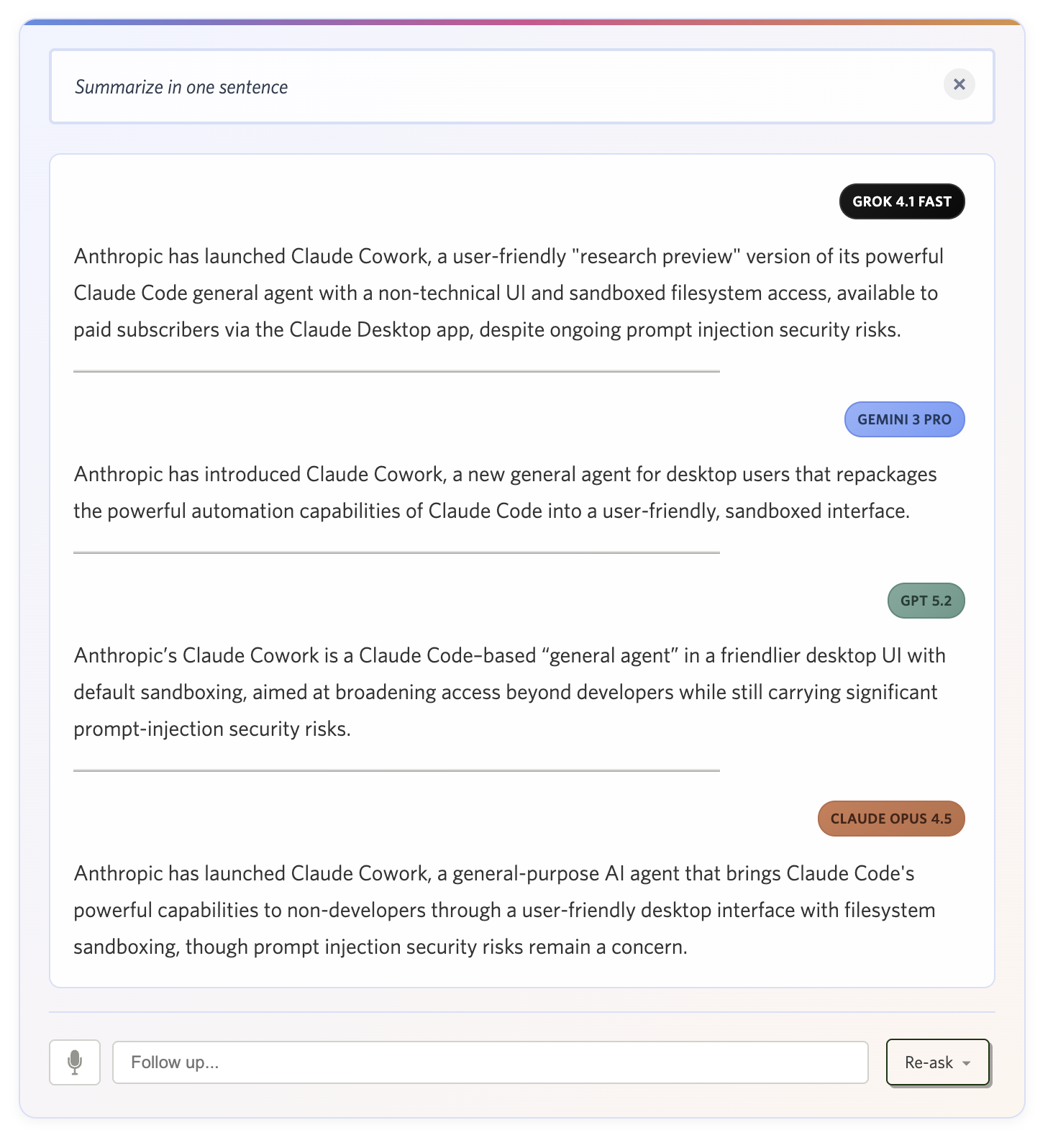
NewsBlur remembers your choice across sessions and devices. If a reply feels off, re-ask with a different model — they each have their own style.
Keep the conversation going
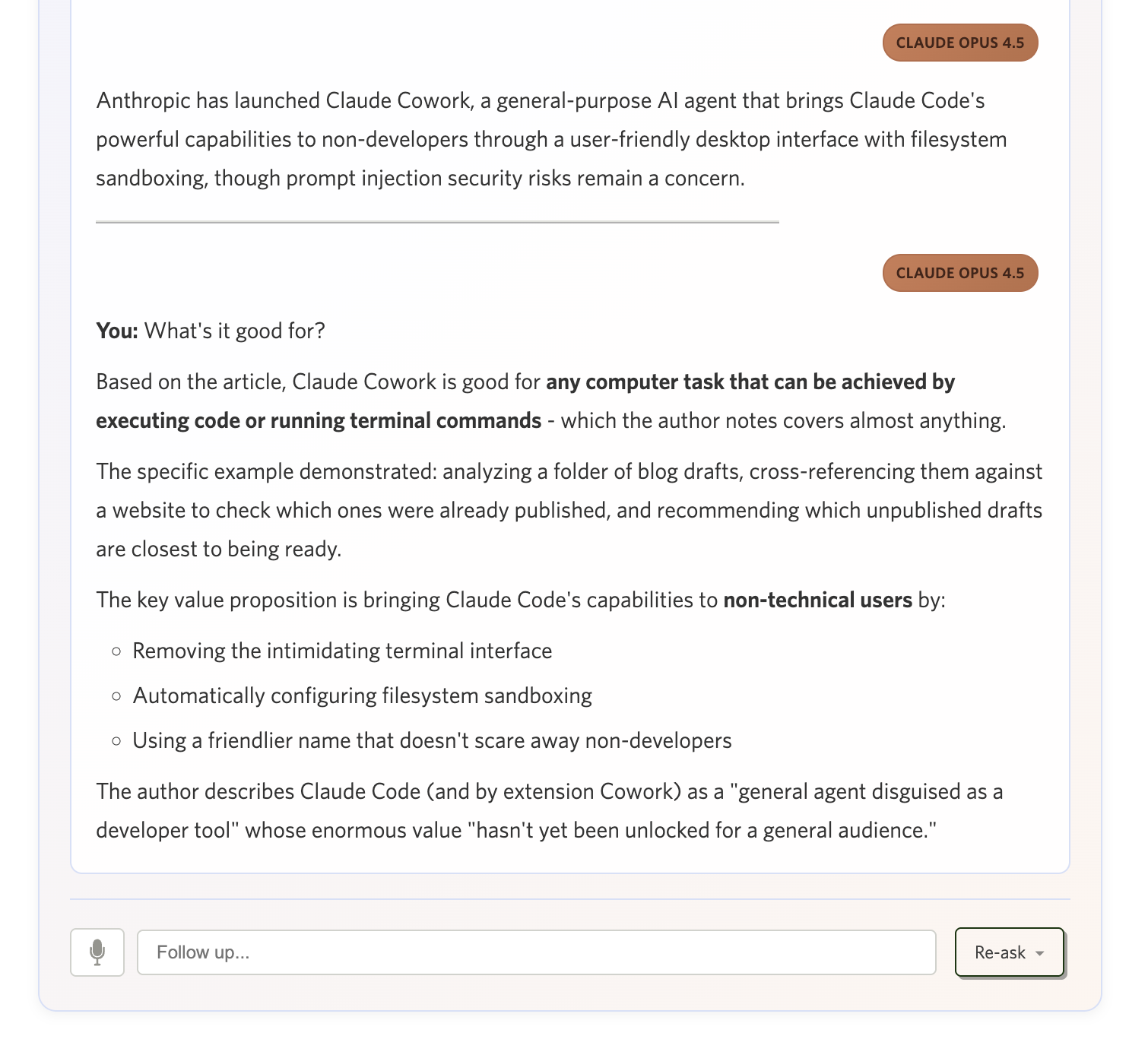
After the first answer, ask follow-ups. NewsBlur keeps the conversation context so you can dig deeper or ask for a clarification. It’s meant to be a back-and-forth, not a one-shot.
Your data stays yours
Your stories and questions are sent to the AI provider you choose to generate a response, but that’s it. NewsBlur doesn’t use your reading data or questions to train models or for any other purpose. The AI providers’ standard privacy policies apply, but NewsBlur itself treats your Ask AI usage the same as any other part of your reading experience — it’s your data, not ours.
Availability
Ask AI is live on the web. Here’s how many questions you get:
- Premium Archive: 100 questions per day
- Premium + Free: 1 question per week
Premium Archive limits reset daily at midnight in your local timezone. Premium and free limits reset weekly on Sunday.
If you’re not yet a Premium Archive subscriber, you can upgrade on the web to get the full Ask AI experience along with unlimited story archiving and full-text search.
As always, I’d love to hear what you think on the NewsBlur forum. If you have ideas for new preset questions or ways to make Ask AI more useful, let me know.