
Web Feeds: Turn any website into an RSS feed
Not every website has an RSS feed. Some never did. Some had one years ago and quietly removed it. And some sites have content that updates regularly but was never structured as a feed in the first place: job boards, product listings, event calendars, changelog pages. Until now, if a site didn’t offer RSS, you were out of luck.
Web Feeds is a new feature that creates RSS feeds from any website. Point it at a URL, and NewsBlur analyzes the page structure, identifies the repeating content patterns, and generates extraction rules that turn the page into a live feed. It works on news sites, blogs, job boards, product pages, or really anything with a list of items that changes over time.
This is a huge feature and has been requested for years. I’m so thrilled to finally be able to offer it in a way that I feel comfortable with. Other solutions including having you select story titles on a re-hosted version of the page, but it was clumsy and error-prone. This way, we use LLMs to figure out what the story titles are likely to be, present the variations to you, and then let you decide what’s right. So much better!
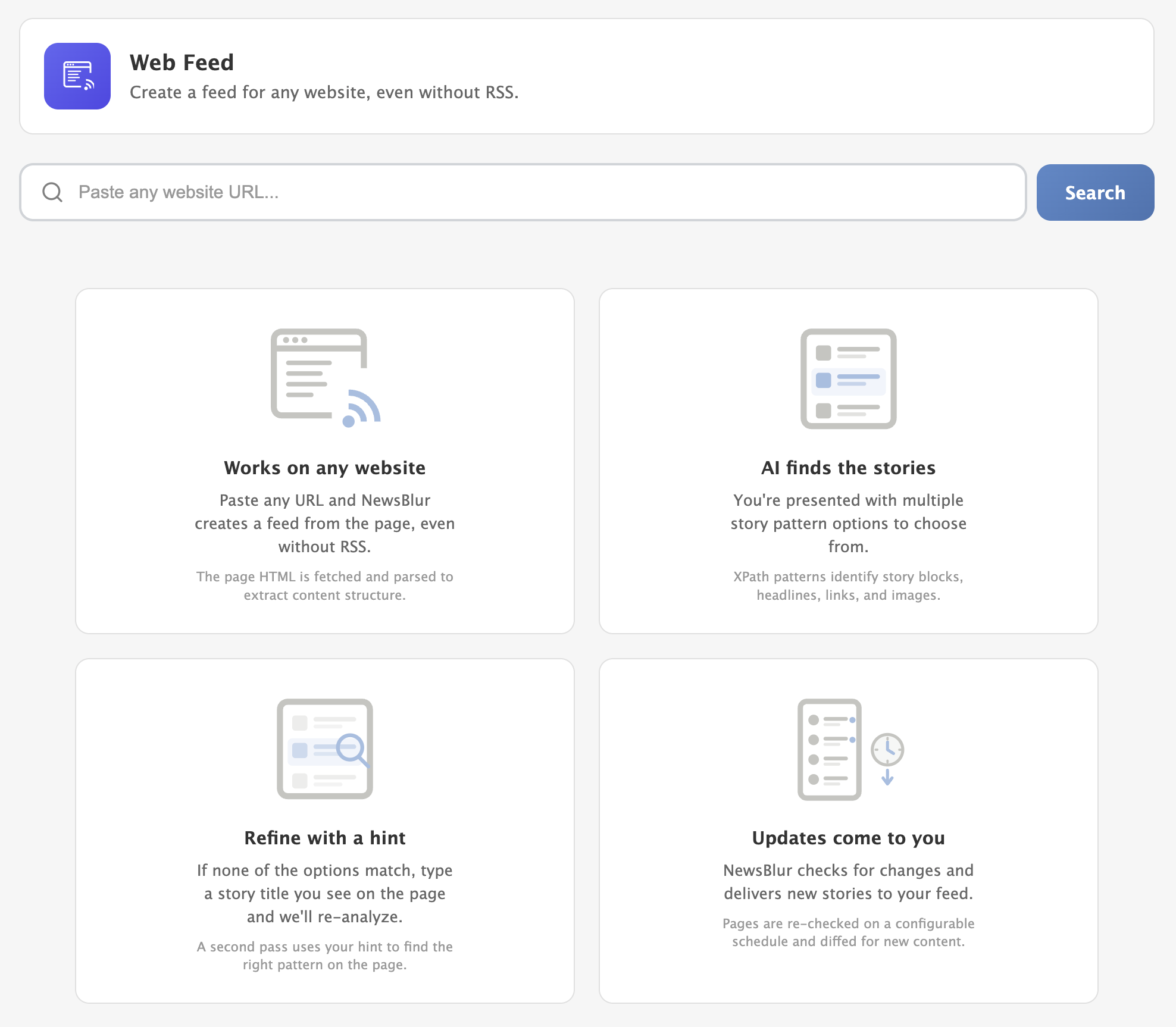
How it works
Open the Add + Discover Sites page and click the Web Feed tab. Paste a URL and click Analyze. NewsBlur fetches the page, strips out navigation and boilerplate, and analyzes the HTML structure. Within a few seconds, you’ll see multiple extraction variants, each representing a different content pattern found on the page.
Progress updates stream in real-time while the analysis runs. NewsBlur typically finds 3-5 different extraction patterns on a page. The first variant is usually the main content (article list, blog posts, product grid), but sometimes the page has multiple distinct sections worth subscribing to. Each variant shows a label, a description of what it captures, and a preview of 3 extracted stories so you can see exactly what you’d get.
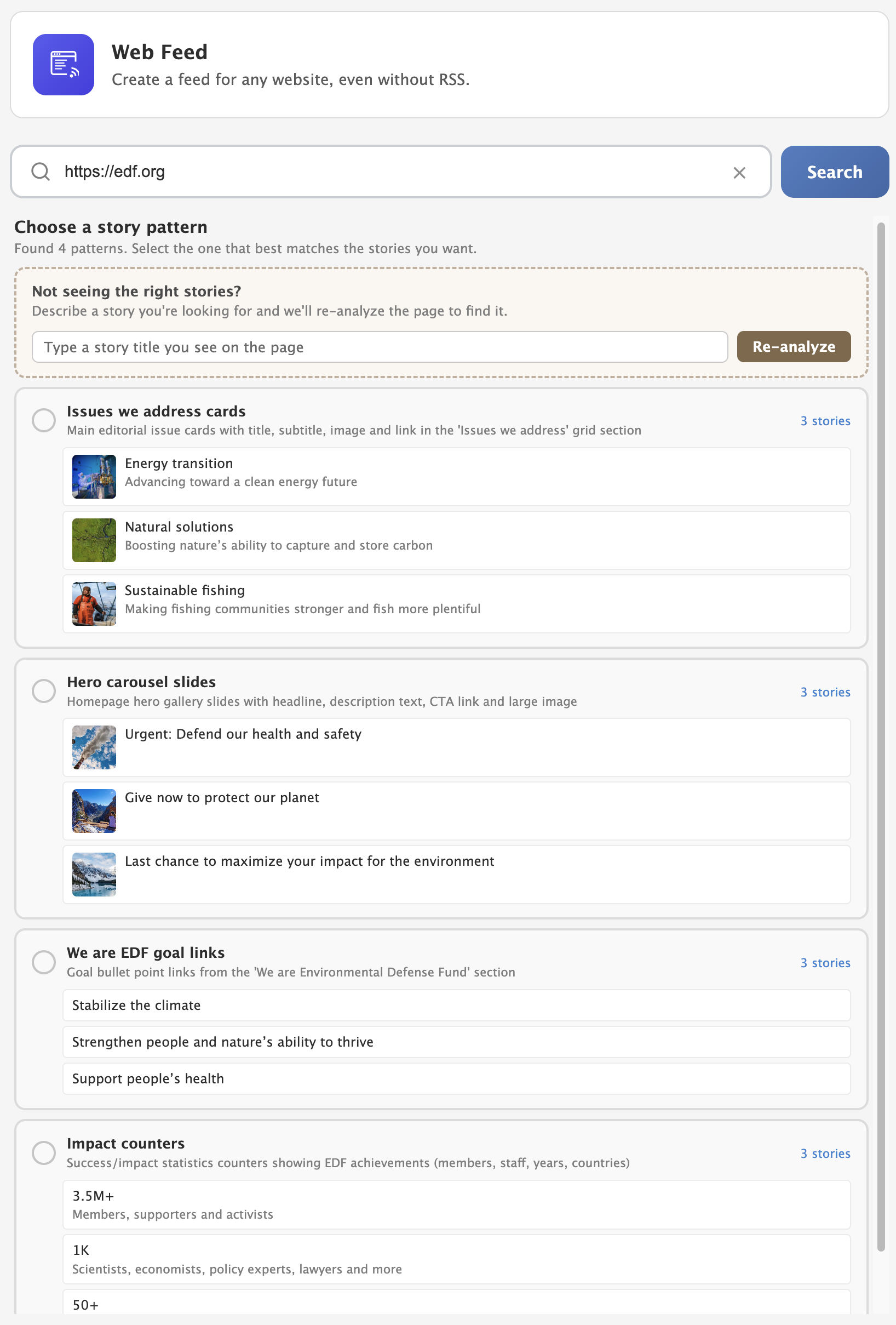
Select the variant that matches what you want to follow, pick a folder, and subscribe. NewsBlur will re-fetch and re-extract the page on a regular schedule, just like any other feed.
Story hints
Sometimes the initial best guess isn’t what you’re looking for. Maybe the page has a blog section and a job listings section, and you want the jobs. Click the Refine button and type a hint like “I’m looking for the job postings.” NewsBlur re-analyzes the page with your hint in mind and reorders the variants to prioritize what you described.
What gets extracted
For each story, NewsBlur extracts whatever it can find: title, link, content snippet, image, author, and date. Not every field will be available on every site, and that’s fine. At minimum you’ll get titles and links. The extraction uses XPath expressions, which means it’s precise and consistent across page refreshes as long as the site’s HTML structure stays the same.
When things change
Websites redesign. HTML structures shift. When NewsBlur detects that the extraction rules have stopped working (after 3 consecutive failures), the feed is flagged as needing re-analysis. You’ll see a feed exception indicator, and you can re-analyze the page with one click to generate updated extraction rules.
Use cases
Some examples of sites that work well with Web Feeds:
- Company blogs without RSS — Many corporate blogs dropped their RSS feeds years ago. Web Feeds brings them back.
- Job boards — Track new postings on a company’s careers page.
- Government sites — Follow press releases, meeting agendas, or public notices.
- Changelog pages — Monitor when a tool or service ships updates.
- Event listings — Keep tabs on upcoming concerts, conferences, or local events.
- Product pages — Watch for new arrivals or restocks on stores that don’t offer feeds.
Availability
Web Feeds are available to Premium Archive and Premium Pro subscribers. The ongoing feed fetching and extraction runs on NewsBlur’s servers like any other feed.
If you have feedback or ideas for improvements, please share them on the NewsBlur forum.